How I built it
How I used ImageGen and CAD to make my first hardware prototype
I started with a Blender golf cart and a generic screen. ImageGen helped me find the form; CAD and the printer constraints forced it into two different build strategies. Neither has been printed yet—but the remaining failures are finally specific.
15 min read
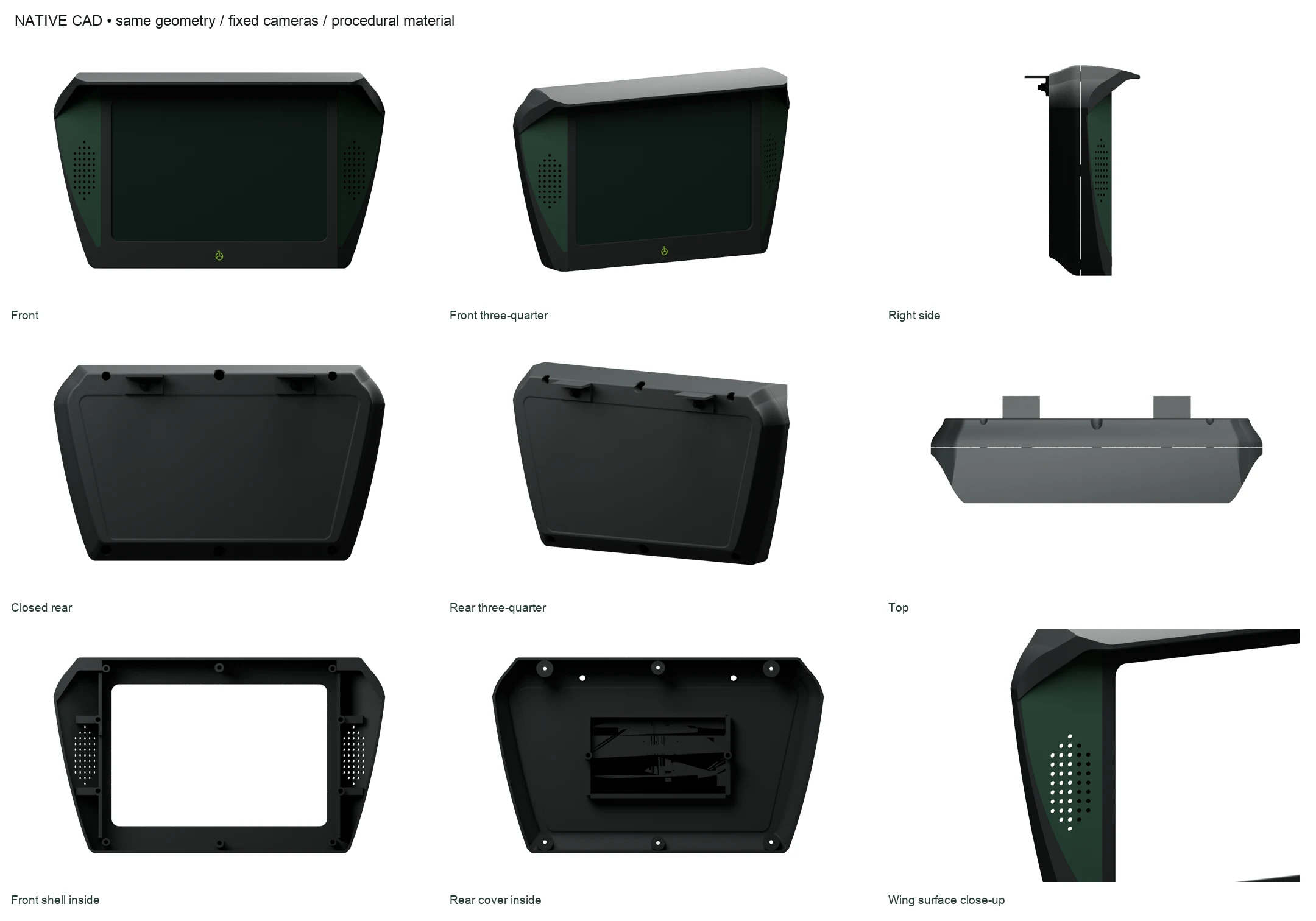
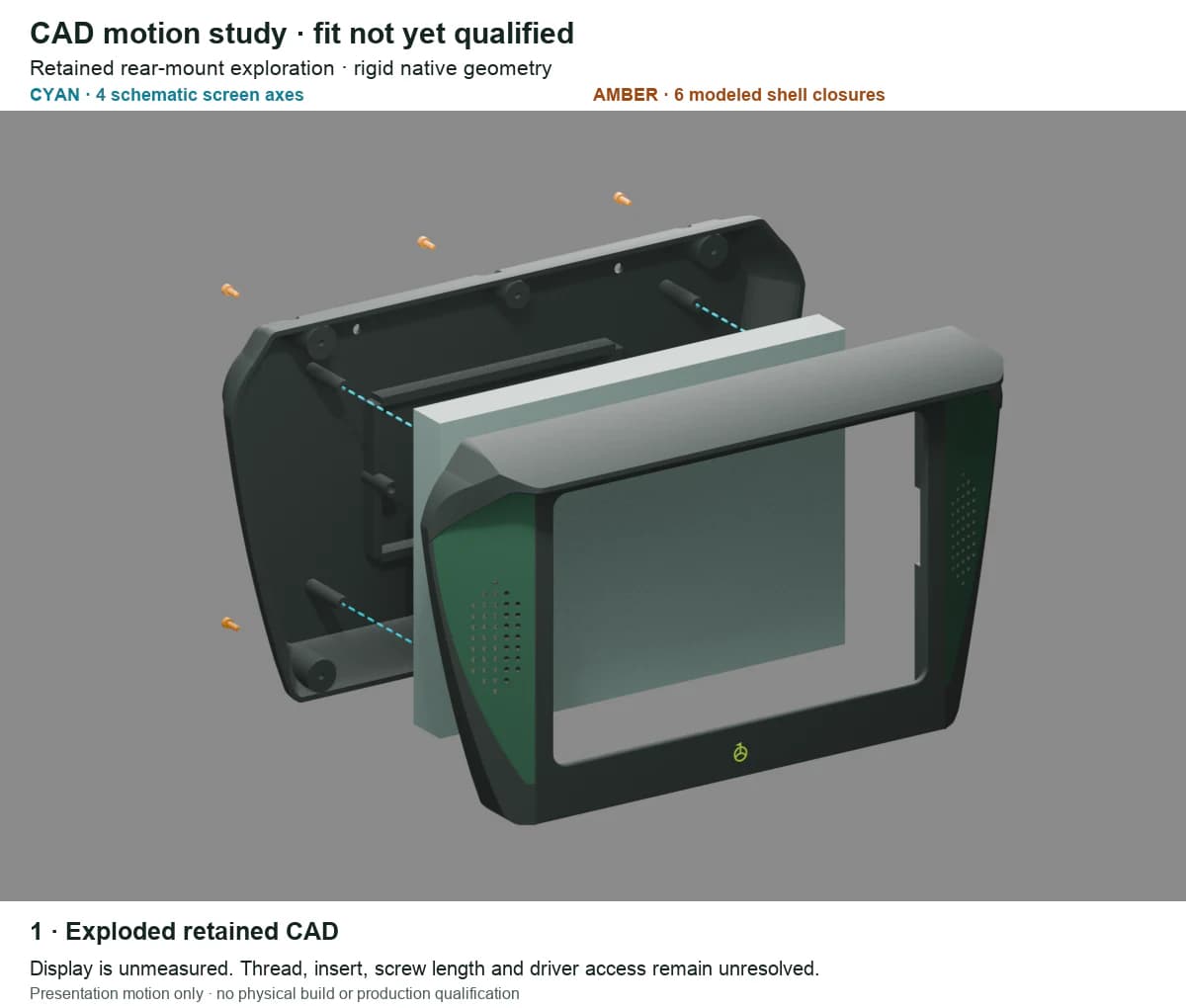
The first useful CAD model is pictured above. It is not the current end of the story. Once I checked the full-width enclosure against the real build area of a Bambu Lab H2D, one prototype turned into two: a narrower housing that keeps each shell in one piece, and the wider form broken into screwed sections.
Both options now fit the selected left-nozzle plate area in their saved layouts. That is a useful result, not a finished product. One still has a 1.42 mm visor patch that misses the 1.6 mm check. Neither has proved support removal, real screen-case fit, strength, weather resistance, or an actual print.
I was new to CAD, so I did not begin by trying to become a mechanical engineer overnight. I broke the work into smaller decisions: show the product in context, choose a form, turn the form into geometry, expose the interfaces, and keep changing the architecture when a real constraint proved the last answer wrong.
I started with a screen that only existed in Blender
We had access to a Blender golf-cart model. I could not verify its original creator or license, so I treated it as scene context—not as work I had modeled. I mounted a generic screen beneath the canopy, placed the Golf One interface inside it, and used the sequence on golfonesoftware.com/cart-fleet.
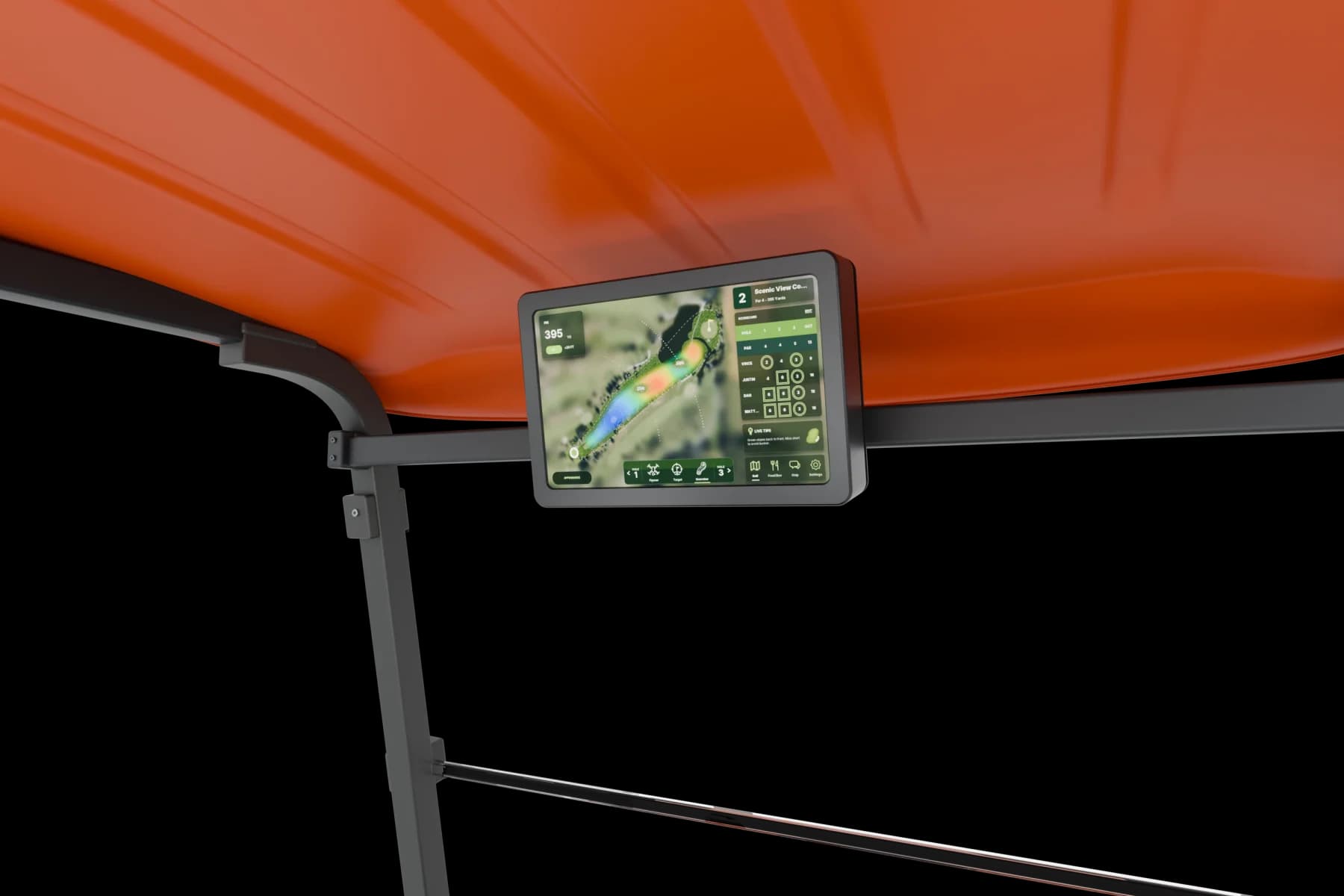
That was enough to make the idea legible. GPS, scoring, food ordering, access, and fleet tools stopped looking like a feature list and became one connected experience in the cart.
It was not enough to make the product buildable. The screen had no assembly, fasteners, rear cover, print orientation, or service path. The Blender render answered where. The rest of the work began when I asked how.
ImageGen was unbelievably good for this
This is the part I did not expect. ImageGen was unbelievably good at helping me figure out what I meant before I had the CAD vocabulary to describe it.
I could say wider at the top, less futuristic, lose the camera, or mostly black and immediately have something concrete to react to. Most of the images were not the answer. That was fine. A bad image was cheap to reject; bad CAD could keep getting more detailed before I noticed I had chosen the wrong product.
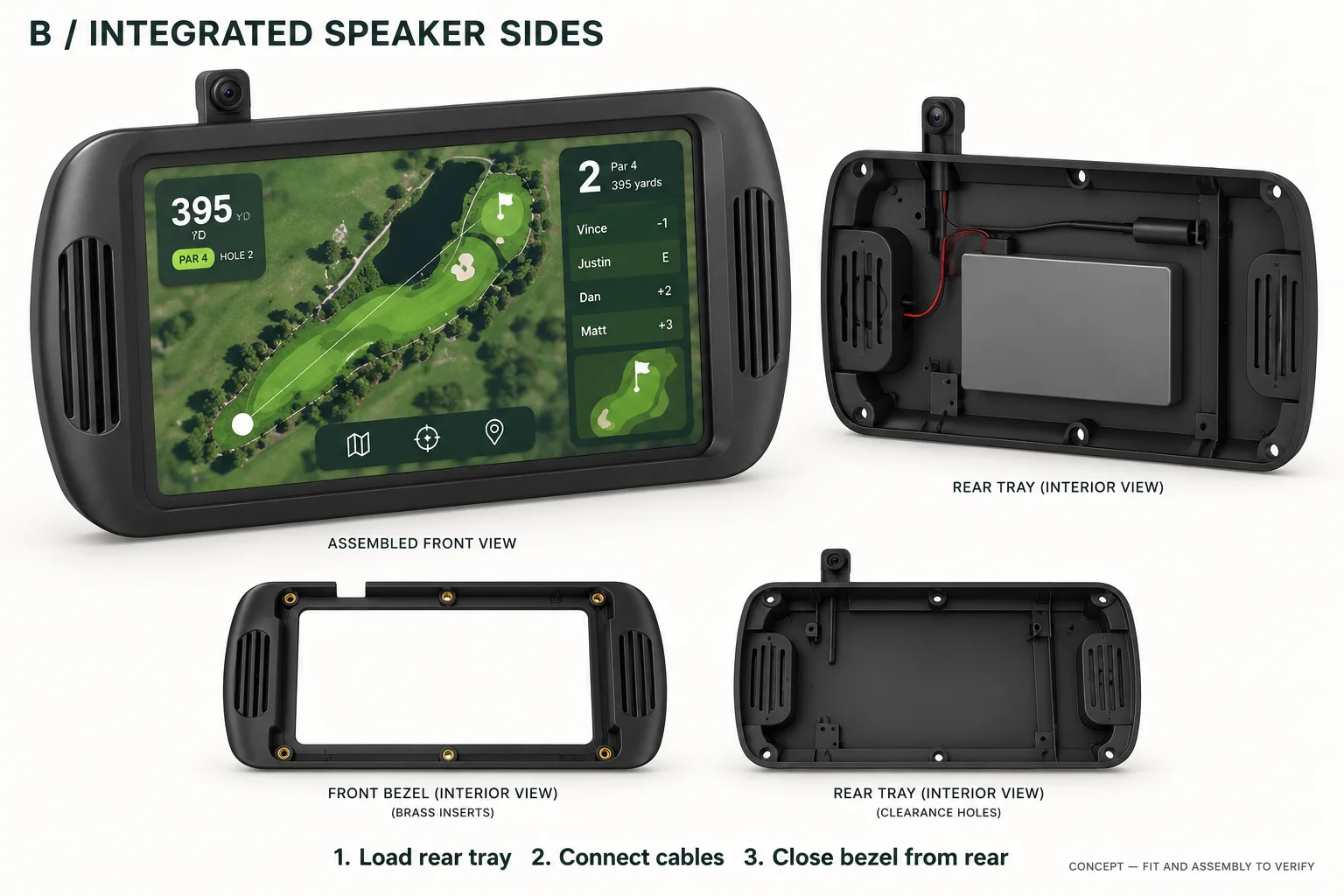
I used Codex's ImageGen workflow to explore three starting architectures: a clean two-shell enclosure, integrated speaker sides, and a soft protective wrap. The housing would eventually need to hold a real screen, battery, and cables. At this stage, I was only trying to decide what kind of object deserved to be built.
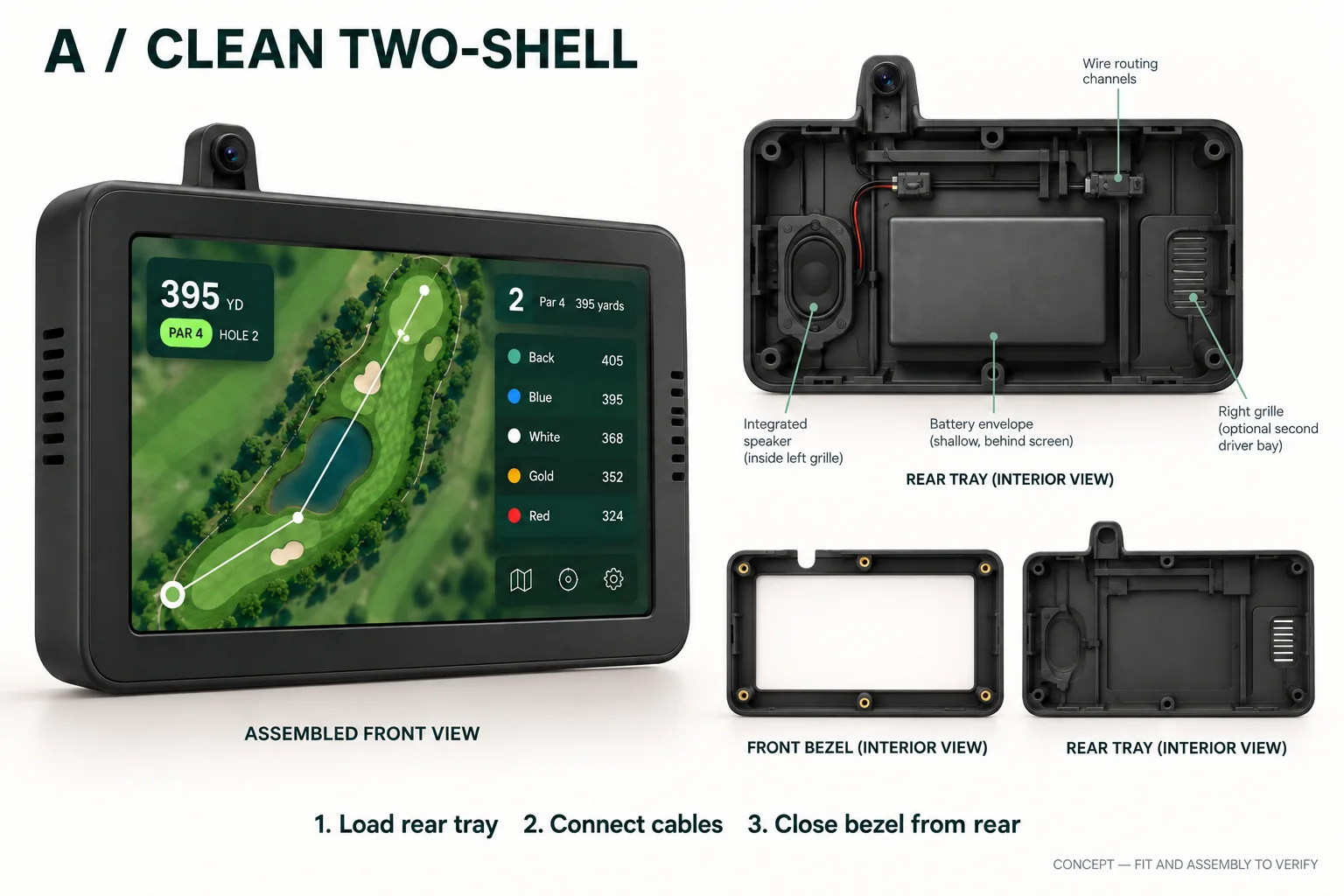
Those images were still too detached from the product. My next instruction was literal: render it on a golf cart. Then came the more important correction: it cannot just be a square box.
The workflow was not one magic prompt. It was a series of comparisons: winged forms, versions without the camera, sharper black candidates, and controlled color studies. The direction came from the rejections—no square box, no sci-fi prop, no decorative camera, and no color without a reason.
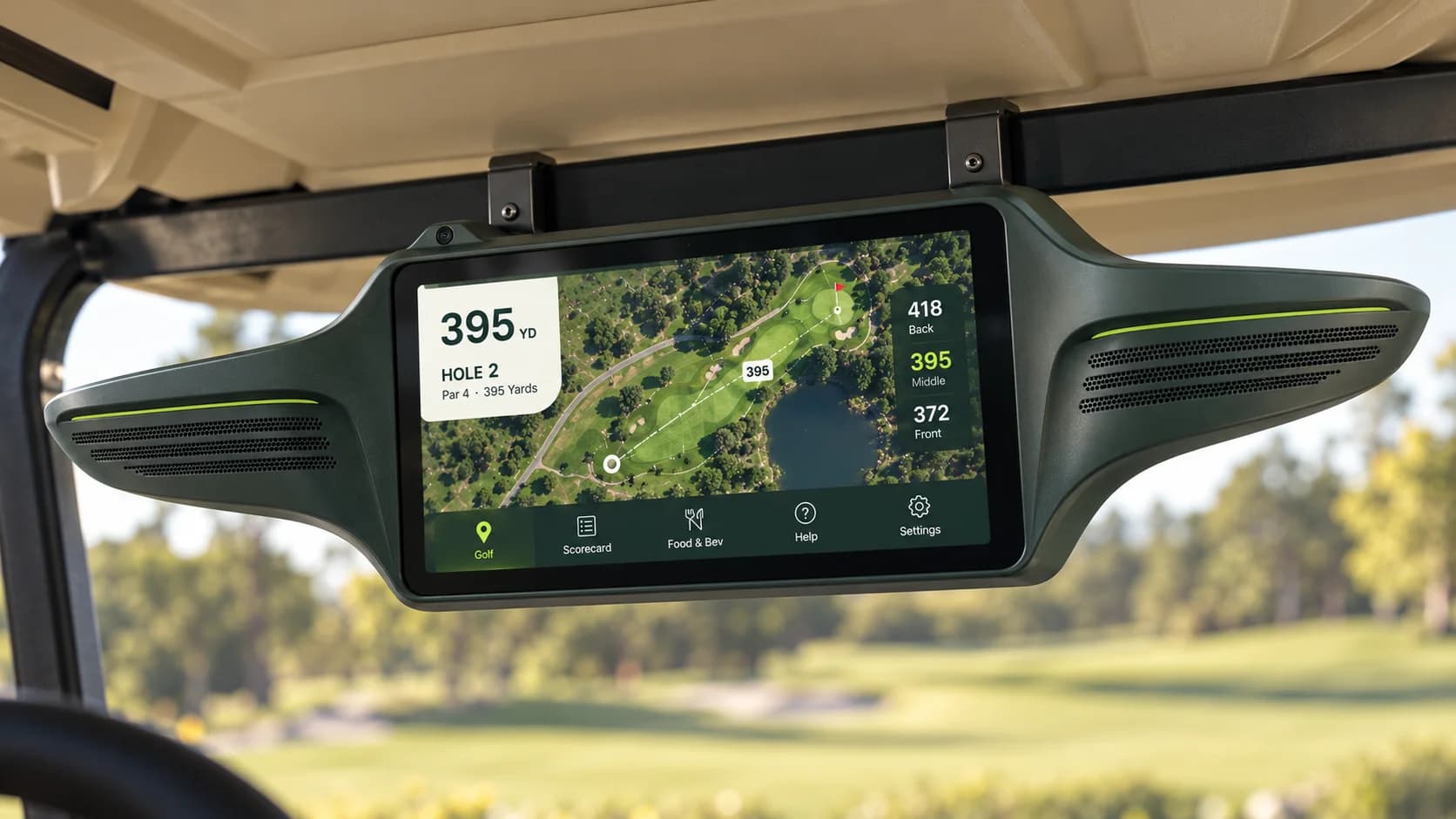
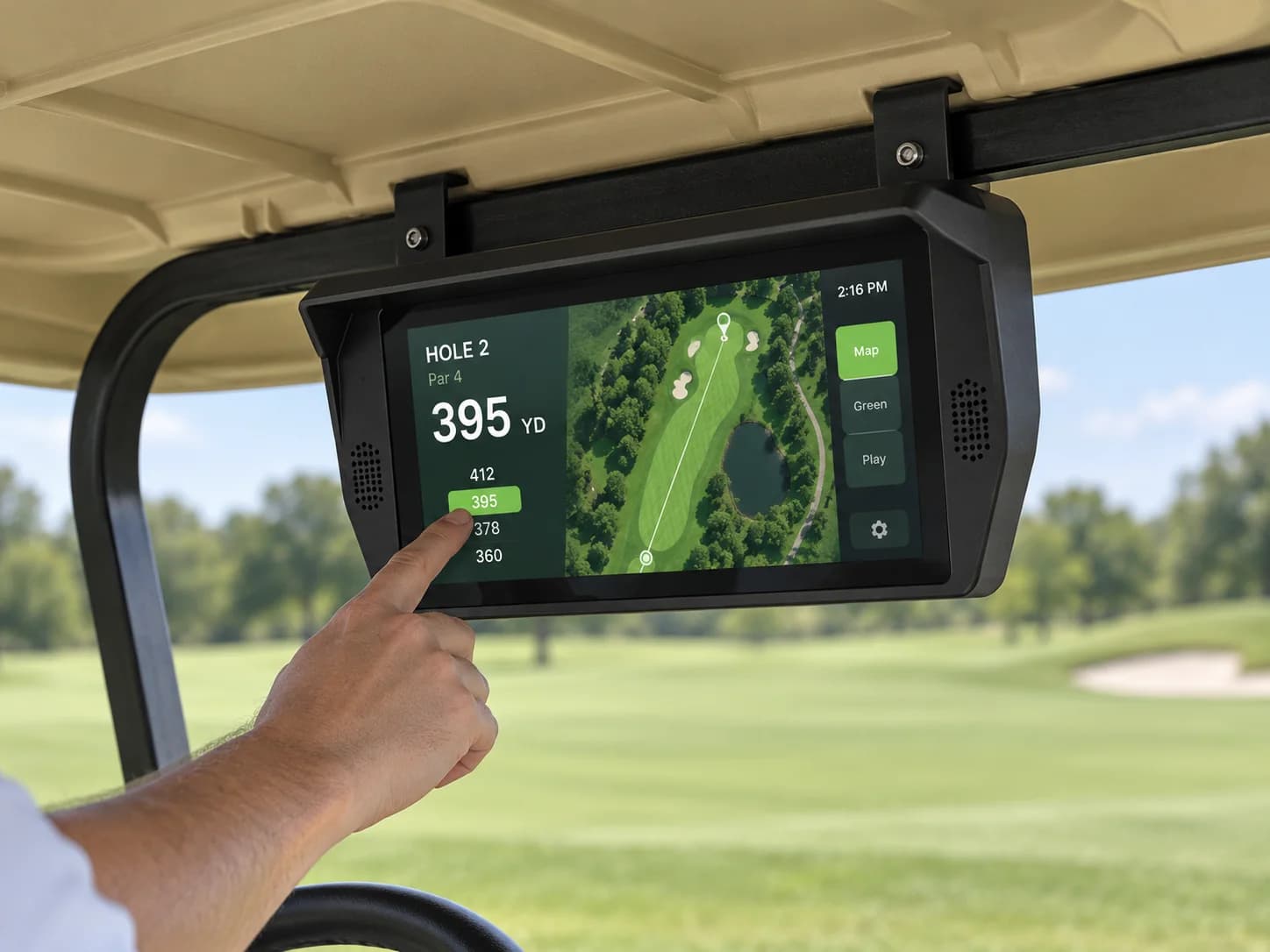
Figma became the comparison surface. I could place the families next to each other, preserve the prompt behind each study, and add the official Golf One mark separately instead of trusting an image model to redraw it. Four color treatments followed. Forest Wings was the direction I chose to take into CAD.
I chose the product before I chose the construction
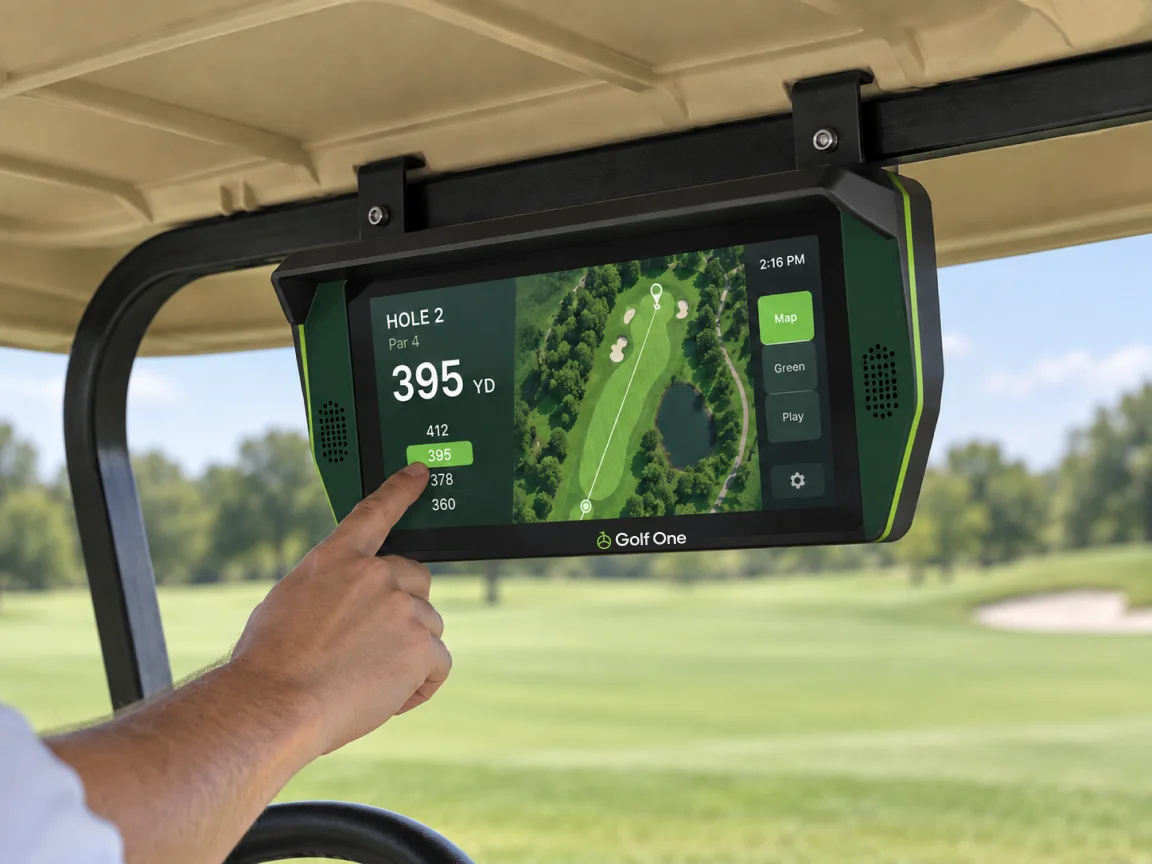
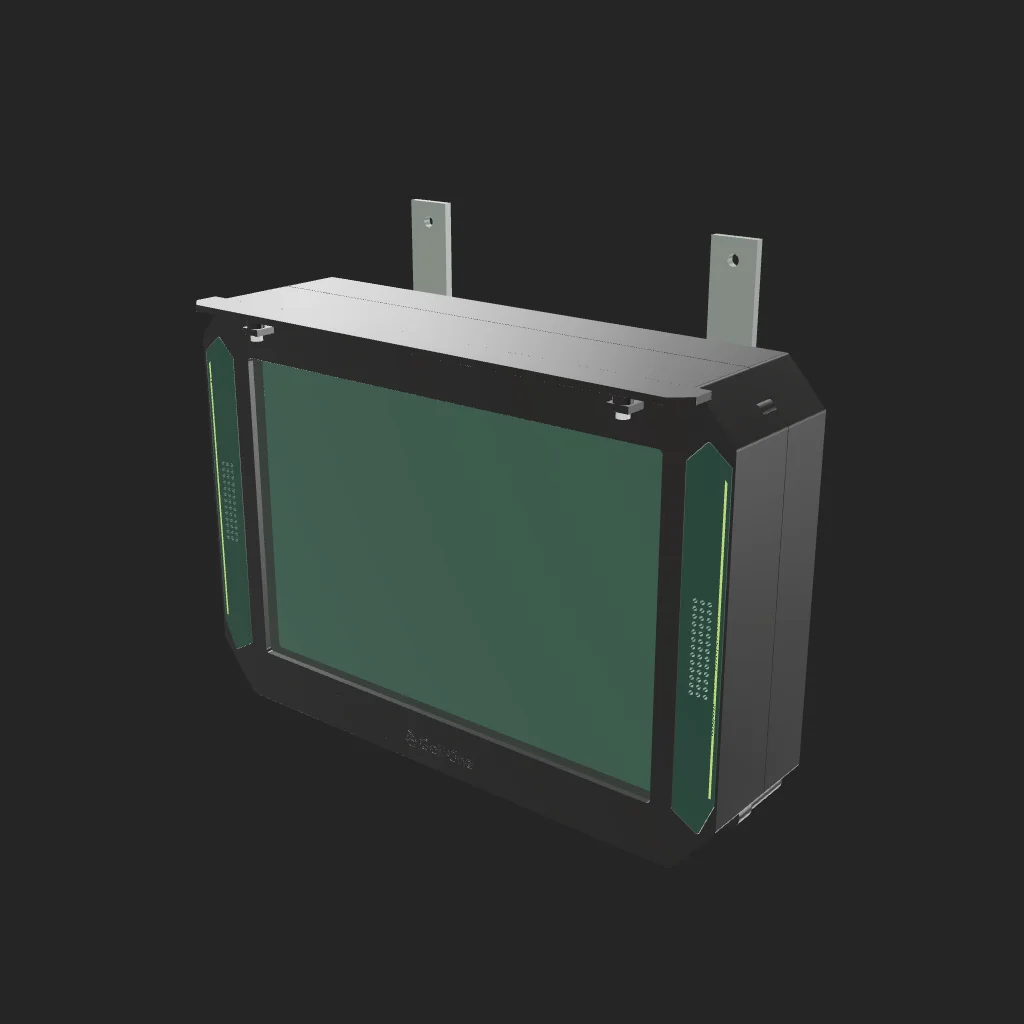
The selected concept looked simple. My first ForgeCAD implementation was not. It had two main shells, separate grille and visor geometry, and a proposed breakdown of nine enclosure pieces plus an insert coupon. The concept had reduced the product to a few strong moves; the CAD had quietly put the complexity back.
That failure separated two decisions I had been treating as one. I owned the direction, the constraints, and the rejection criteria. Codex generated the concept studies and implemented the geometry. ImageGen could multiply possibilities; it could not decide which possibility belonged in the cart.
For the next pass, I used the earthtojake text-to-CAD toolkit on top of build123d. STEP became the main review artifact. The reason was practical: I needed repeatable geometry, selectable parts, native exports, and inspection—not another convincing picture.
The side view exposed what the front view was hiding
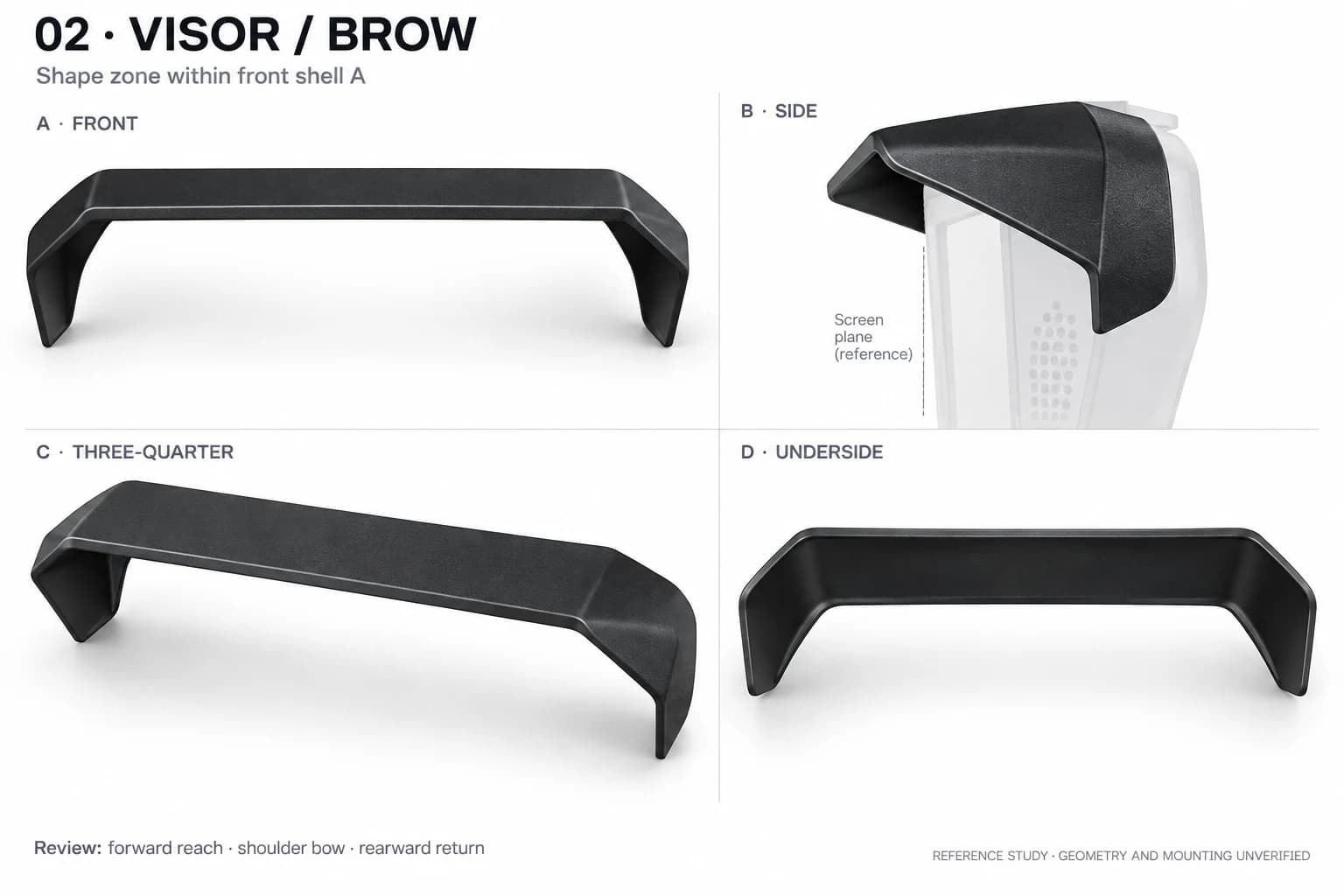
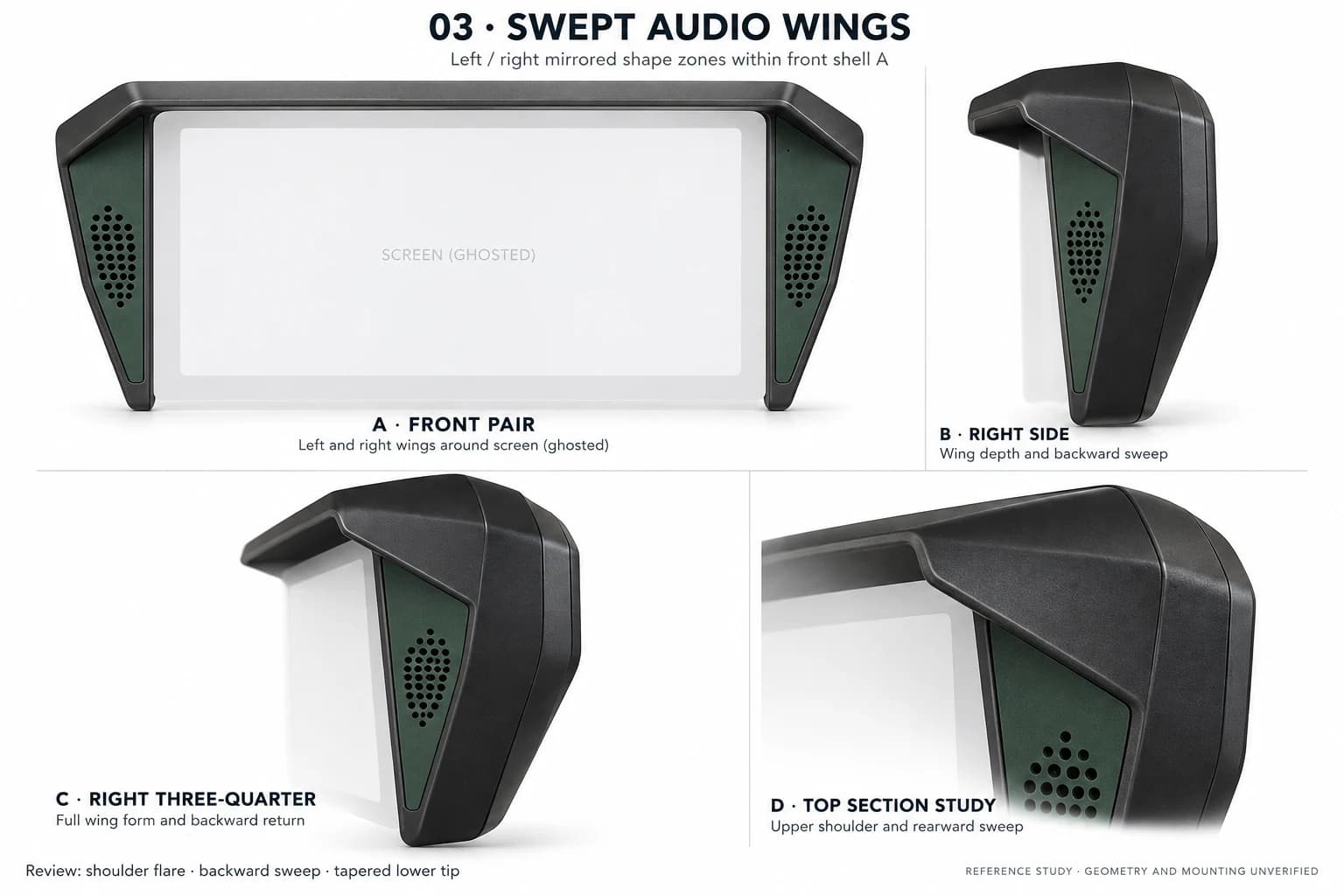
The later reference family finally gave the enclosure a specific shape: broad upper shoulders, green audio wings that swept backward, a projecting visor, a slim lower body, and a closed rear cover. The front established the identity. The side view exposed whether that identity existed in three dimensions.
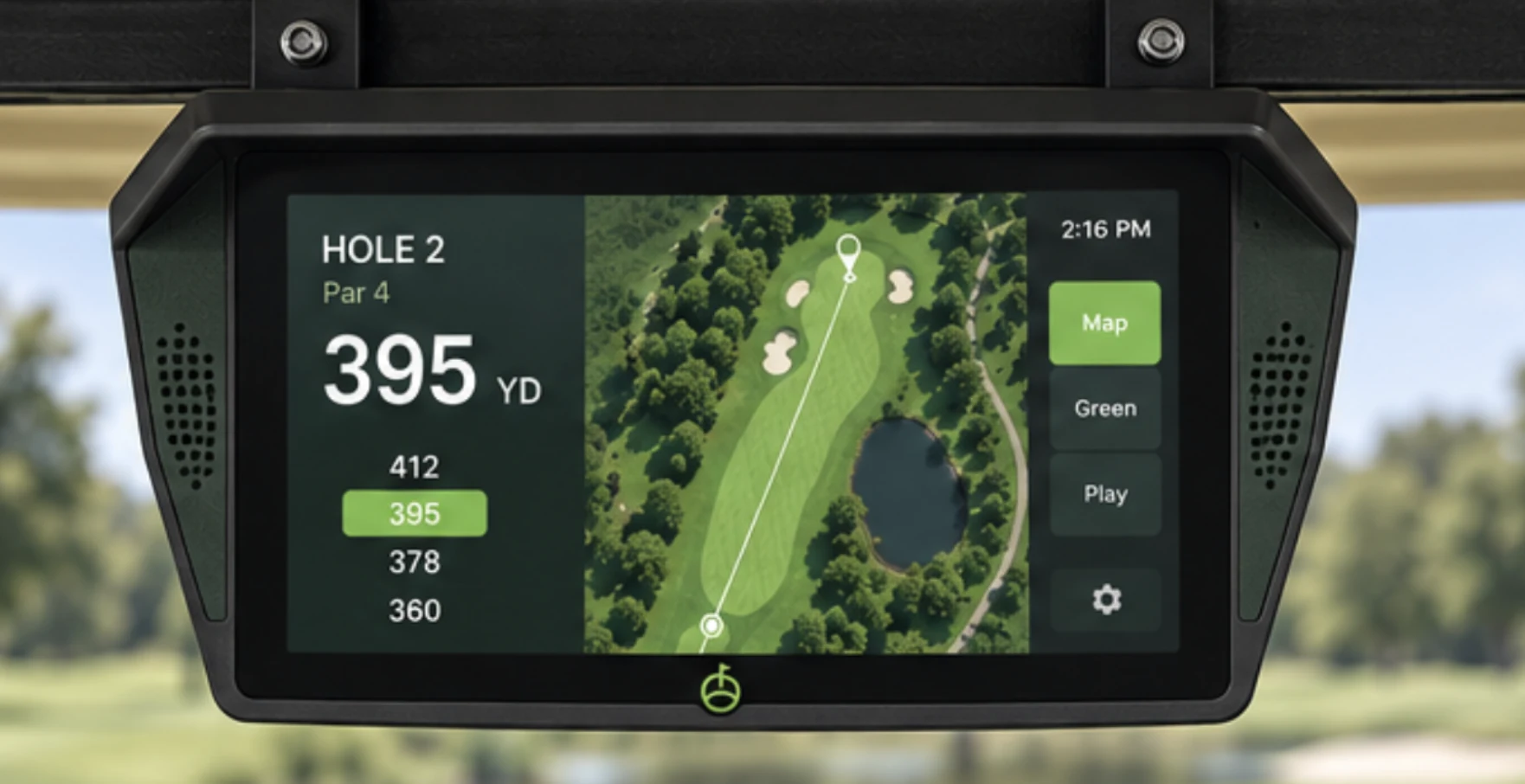
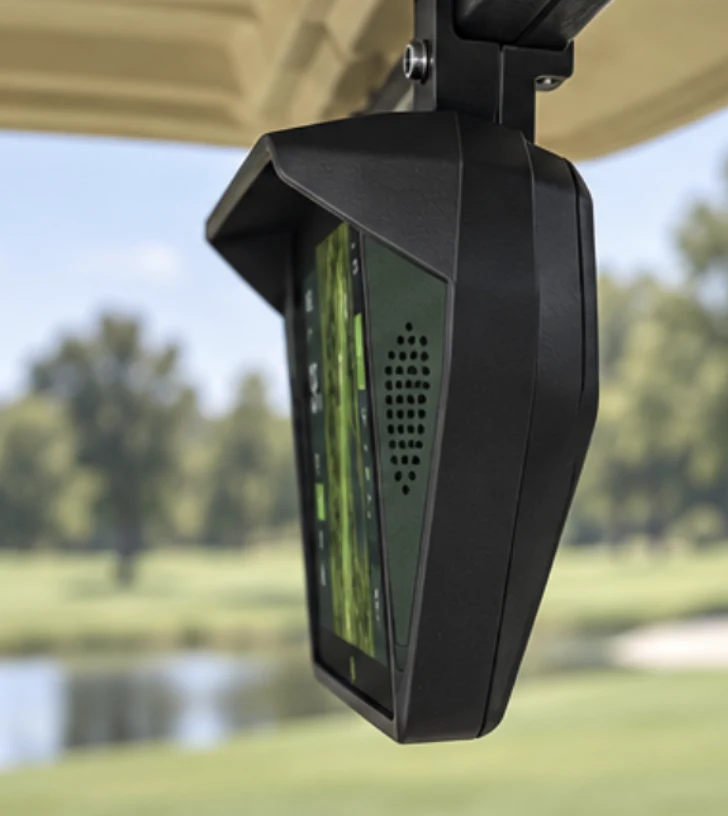
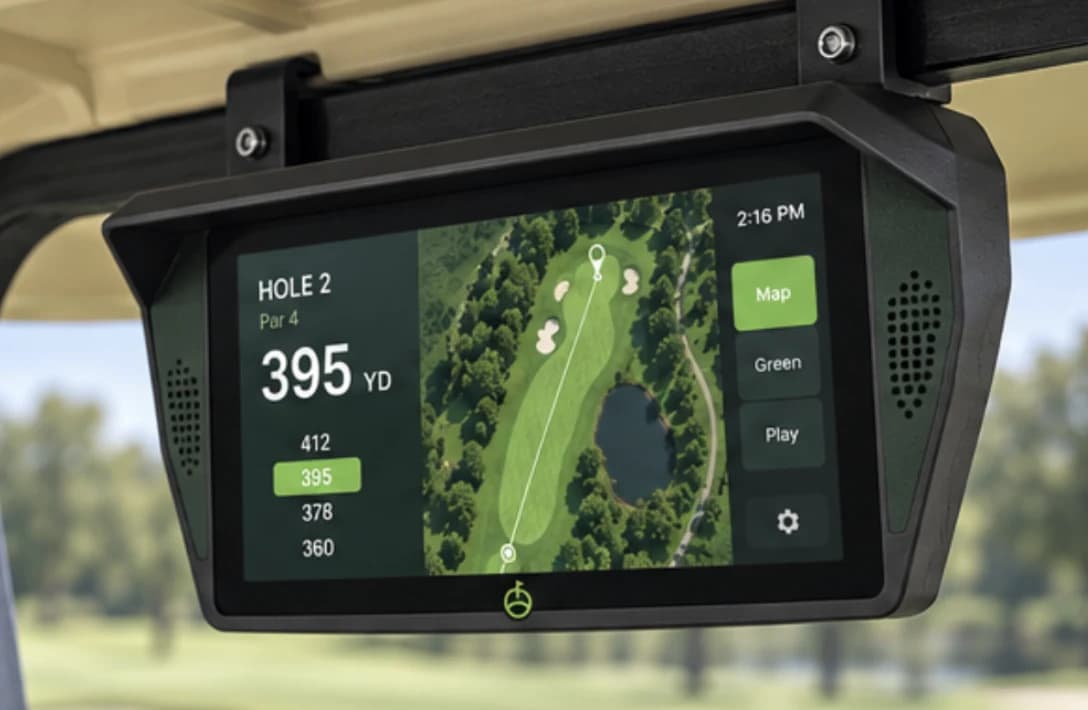
“the wings need to be wider at the top and have some depth (they turn back a bit) and the visor needs to bow at the sides.”
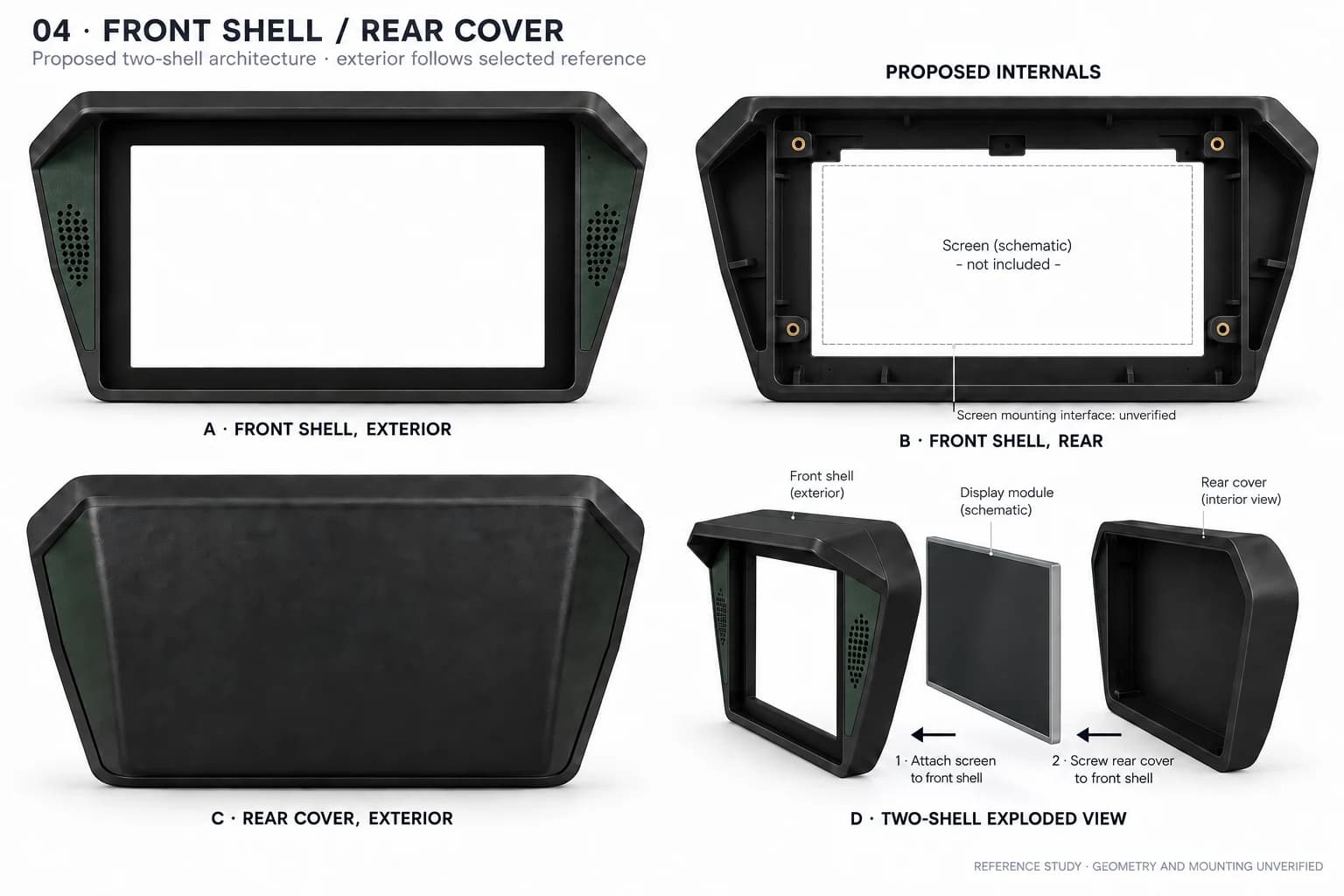
Repeating that sentence against whole-device renders was not resolving the shape. The reference was broken into visor, wing, bezel, and rear-cover studies so each disagreement had its own view. One sentence of feedback became three geometric questions: how wide at the top, how far backward, and where the visor began to return around the side.
The same picture can carry three different kinds of truth
Figma held the references and exact prompts. ImageGen explored form and finish. Native CAD renders came from exported geometry with fixed cameras. Later material studies used those native views as shape guidance. The pictures can look related while proving completely different things.
| Artifact | Useful for | Cannot establish |
|---|---|---|
| Target image | Silhouette, proportion, material direction, and visual intent | Dimensions, seams, hole count, assembly, or physical feasibility |
| Native CAD render | The current exported geometry from repeatable cameras | Material finish, strength, physical fit, or design acceptance |
| CAD-guided ImageGen study | Finish and lighting direction around a supplied shape | Exact geometry, mounting evidence, or a manufactured result |
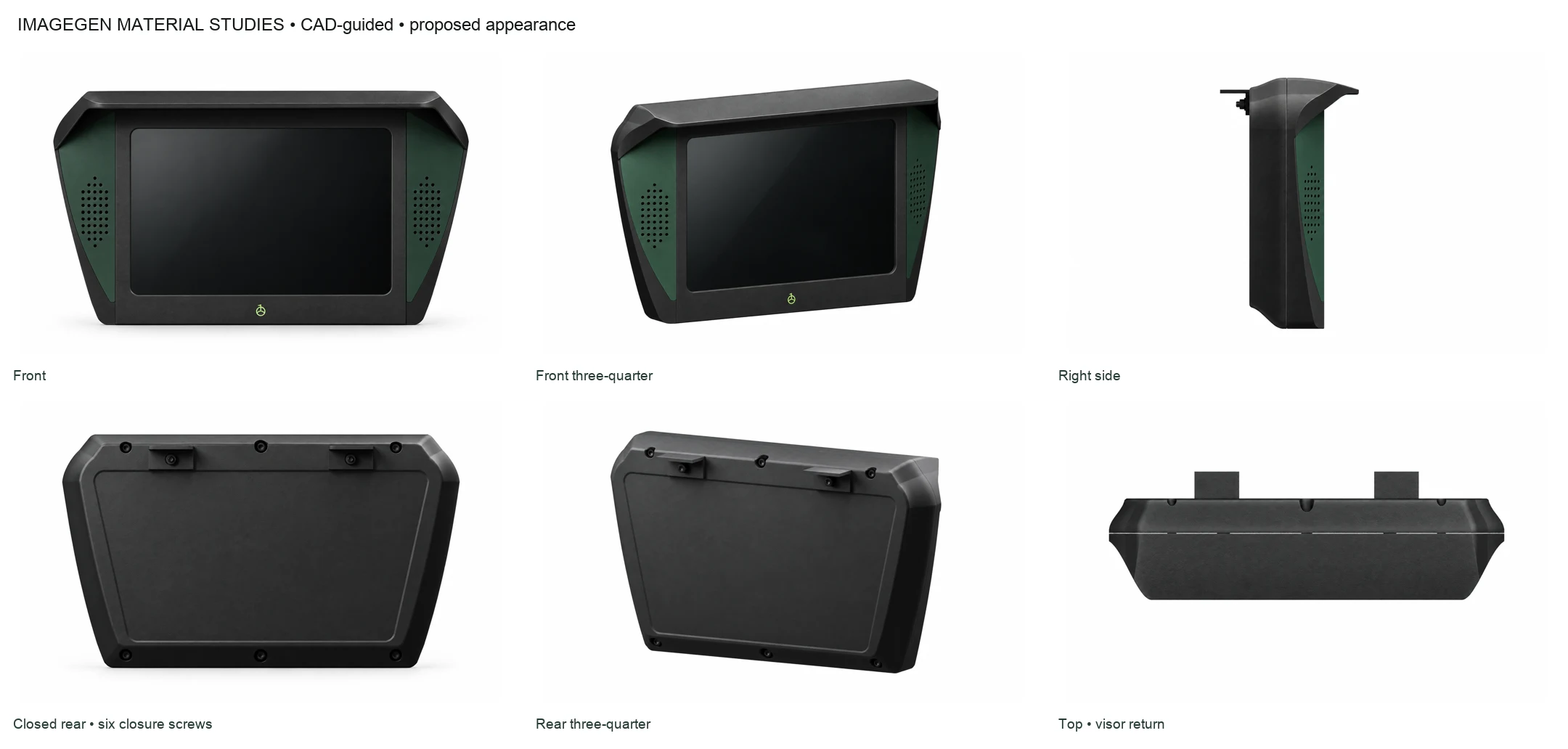
image1 is the edit target and authoritative CAD geometry/camera
change only materials, lighting, and background
do not thin, widen, add, or remove geometry

This is a material study of the same CAD, not a new design.
The instruction was precise. The output was still an image. Native geometry remained the acceptance surface for holes, seams, and measurements.
Selectable zones were a debugging tool, not a bill of materials
The model separated the visor, left and right wings, bezel, front shell, rear panel, screen allowance, and mounting interfaces into inspectable zones. That let one disagreement move without reopening the whole object. A wider wing did not require declaring the entire enclosure wrong. A larger rear inset did not need to disturb the front.
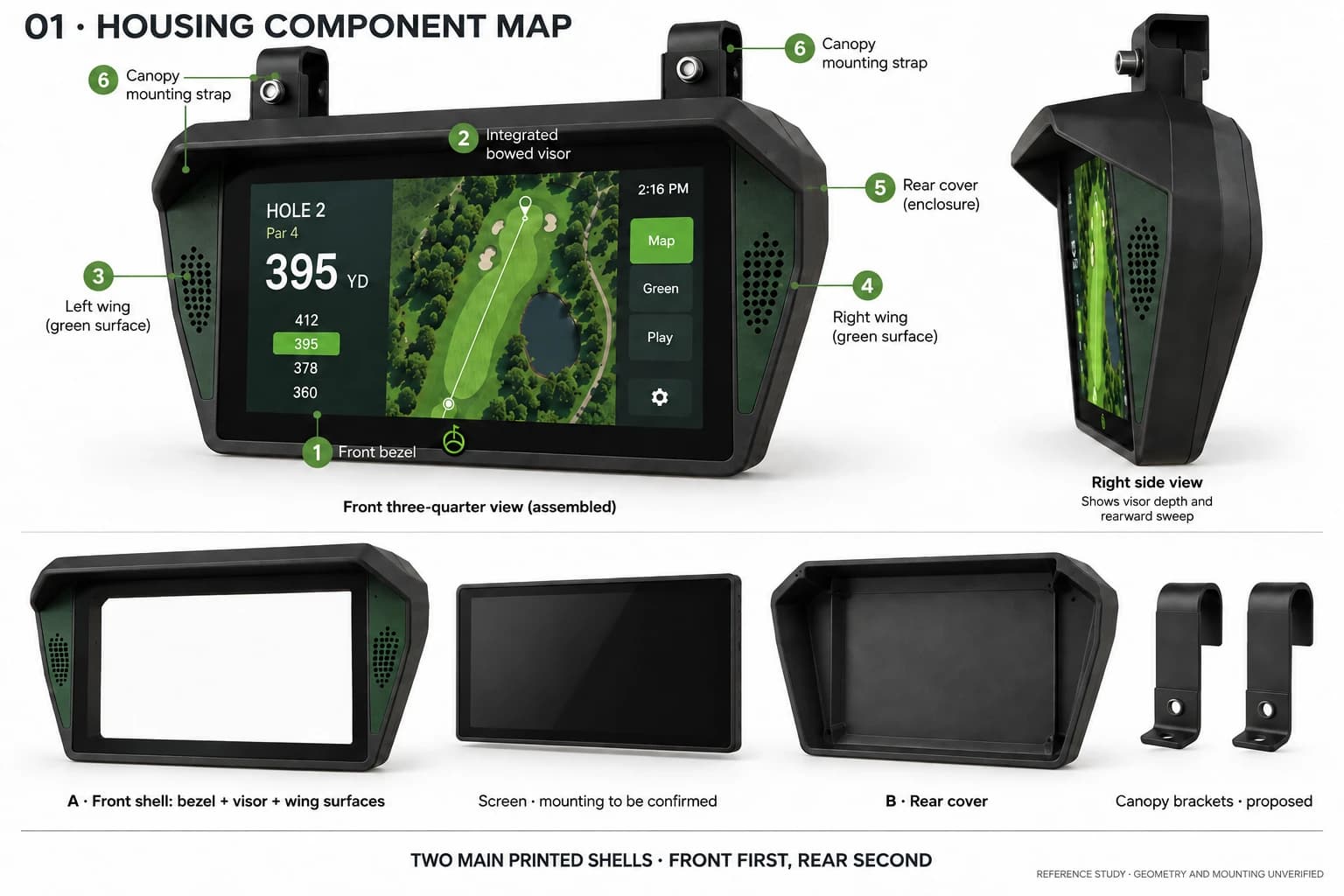
Selectability did not imply nine printed pieces. In this first model, the visor and wings could be isolated during review while remaining integral to the front shell. That changed in the second pass: the forest-green wings became two actual printed inserts, one left and one right. Each can now be selected, hidden, exported, and replaced independently.
I had to separate two fastening systems
Mounting did not progress in a straight line. I first wanted to screw the screen into a back plate before attaching the front. The next CAD pass moved to a front-first sequence with four padded keepers because usable threads in the 4G screen case had not been verified. Those extra pieces then ran into a constraint that kept returning: use as few parts and screws as possible.
I returned to rear mounting. The first carrier proposal looked plausible but contained solid post envelopes, not four usable screw passages. The correction was concrete: “There need to be holes in the four corners so the screen can screw into the back plate too.”
The amendment cut four full-depth Ø2.8 mm clearance paths through Ø8 mm posts and the rear panel. Those four paths belong to the screen. Six other paths close the enclosure. Counting them as one fastening system would hide two different joints and two different validation problems.
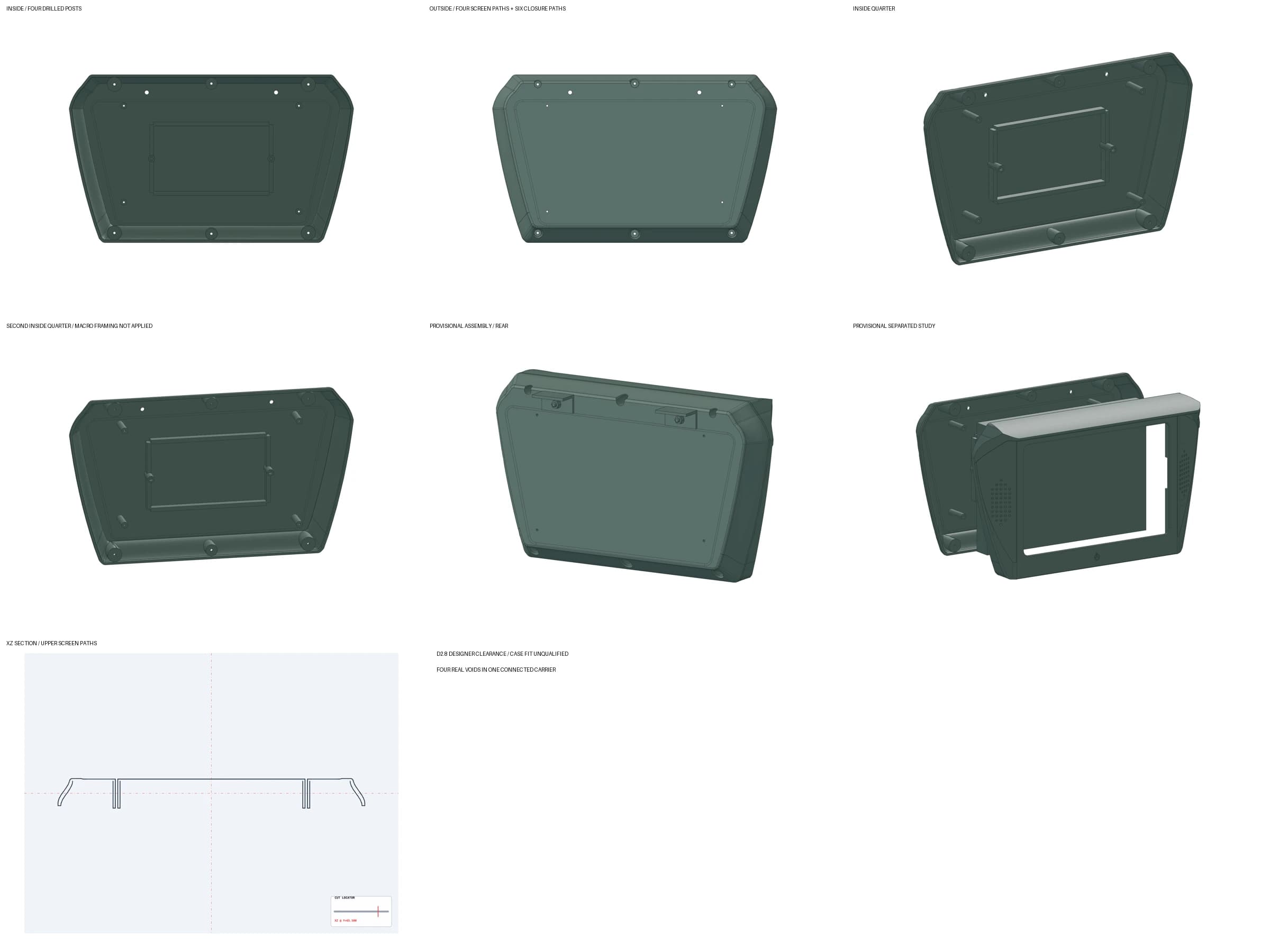
The pattern followed the published PCB drawing for the 4G Makerfabs MATP4G101, including its asymmetric lower-right point. A PCB drill and an M2.5 package name still do not prove that the supplied rigid case exposes usable threads. A hole in CAD is evidence of a hole in CAD. It is not yet a qualified joint.
A close-up made the distinction visible
The full animation near the top shows both systems together. The close-up below isolates one of the six shell closures beside the four screen-registration paths. Those cyan paths remain guides because the screen screws, case threads, inserts, length, direction, and driver access have not been selected or measured.
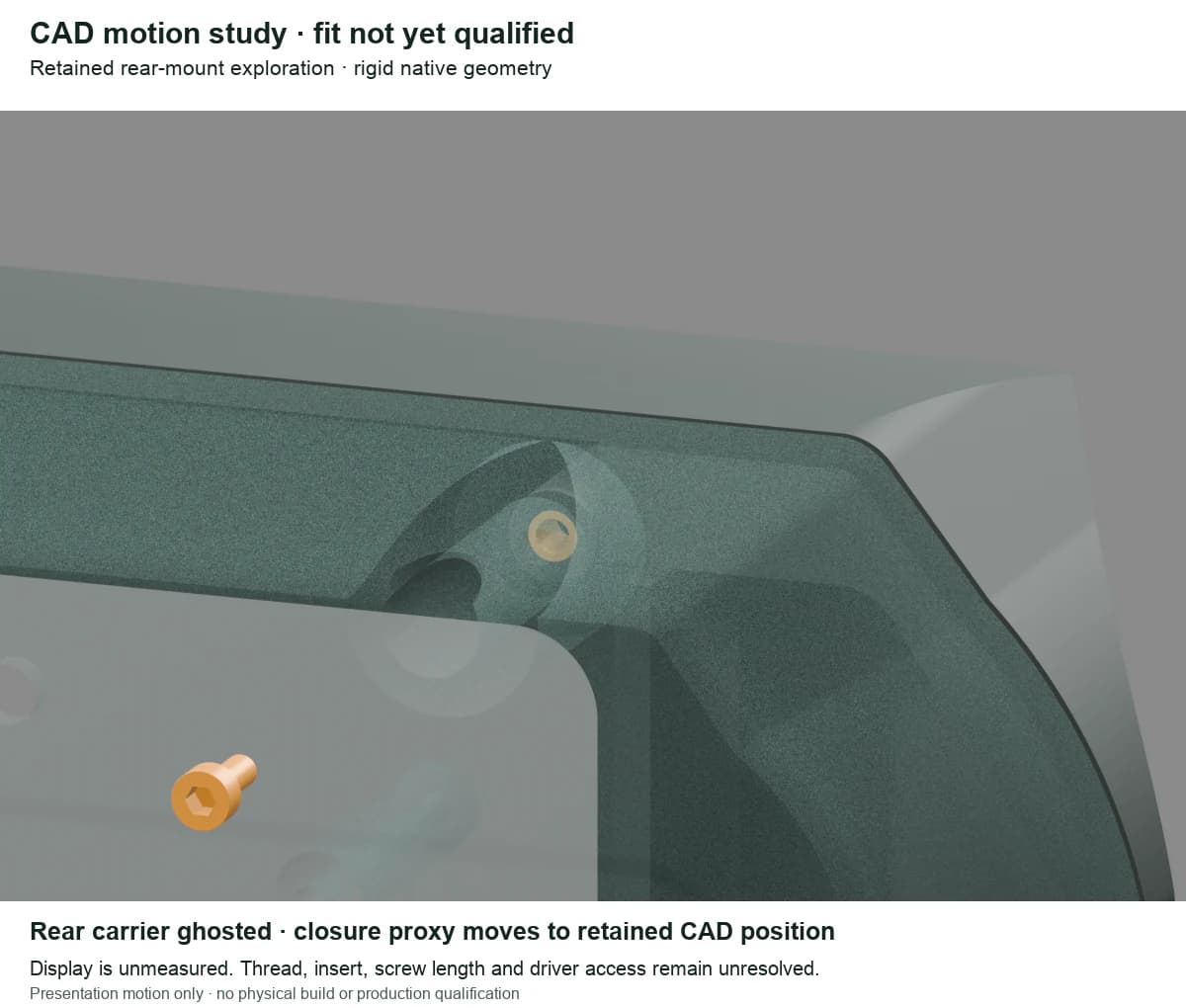
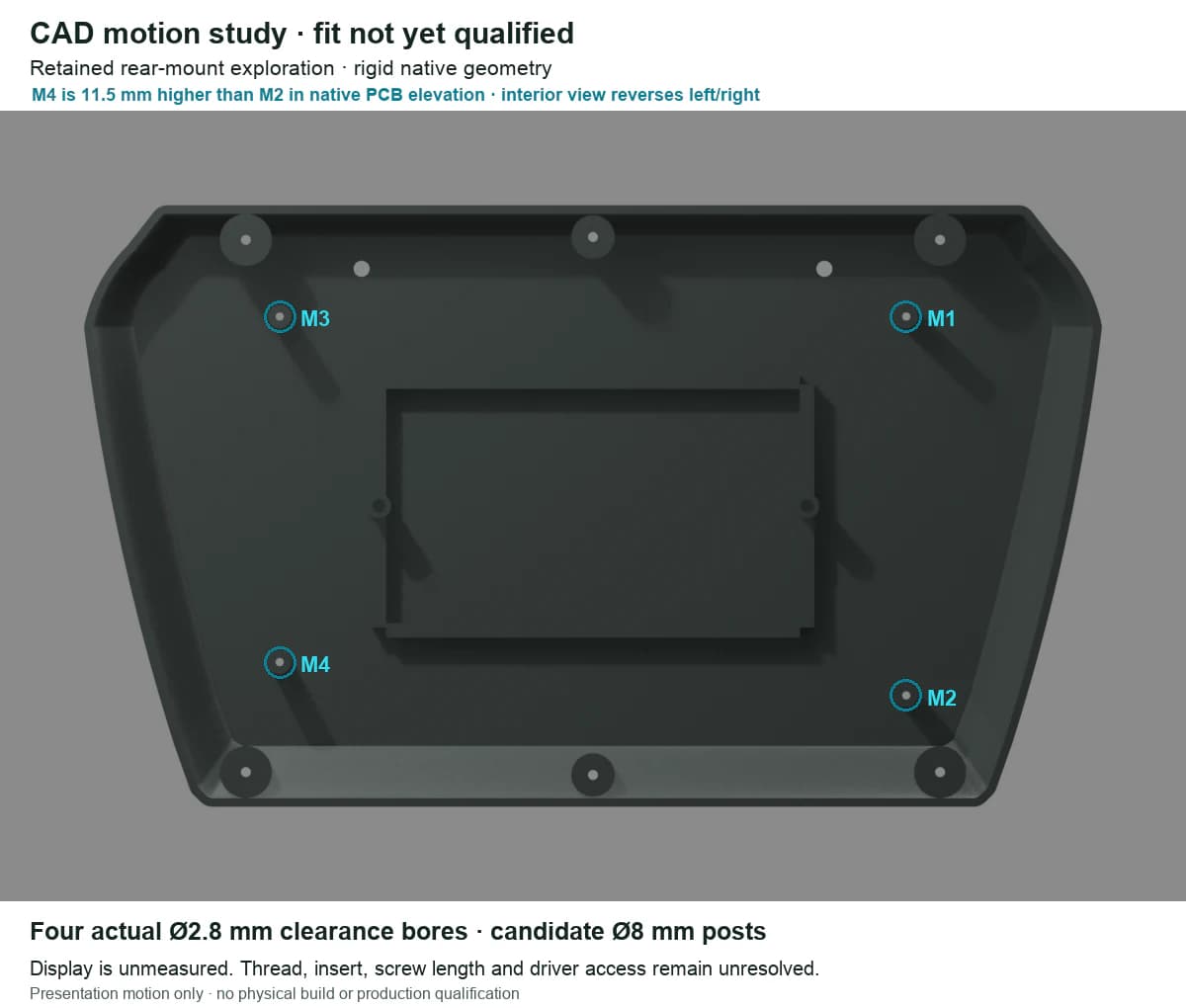
The animation deliberately stops short of showing screen screws seating into the case. That would turn an unresolved hardware decision into a visual claim. The orange screws belong to the six enclosure closures. The cyan screen paths remain schematic until the real case and fastening stack are measured.
A later repair thickened the four checked rear screw-well sections to 2.5 mm and kept all six cover screws accessible. That closed one CAD failure from the first model. It did not answer the more important physical question: whether the supplied screen case presents the fastening interface the drawing seems to imply.
A 99.16% outline match was still the wrong product
One comparison normalized the reference and CAD bounding boxes, filled their holes, and produced a 99.16% front-outline overlap. The number sounded like convergence. It excluded opening proportion, depth, materials, mounting, and the entire rear.
The functional CAD opening was about 1.52:1. The selected generated opening in that comparison was about 1.86:1. The outline metric could improve while the screen proportion—and the object people actually noticed—still disagreed. That is why the visible review overruled the flattering number.
The back went through three preserved treatments instead of one overwritten answer: an integral inset, a raised or beveled panel, and a softer recess. Preserving A, B, and C kept the tradeoff visible.
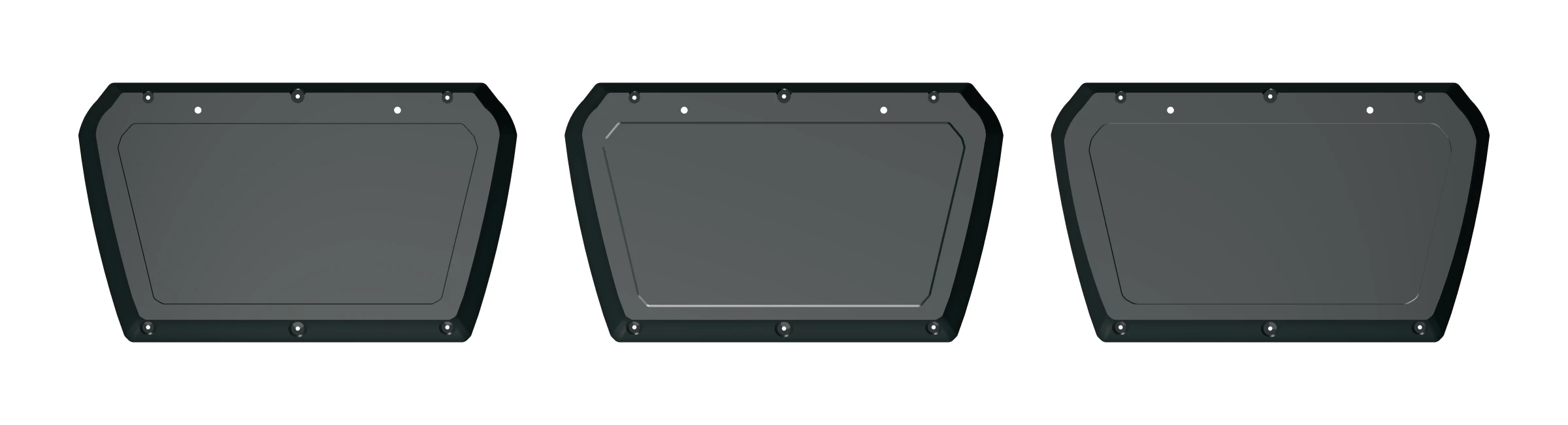
One rear revision enlarged the planar inset floor from 36,252.67 to 39,821.48 mm²—about 9.84%—and softened the shoulder transition while keeping the front and closure interfaces fixed.
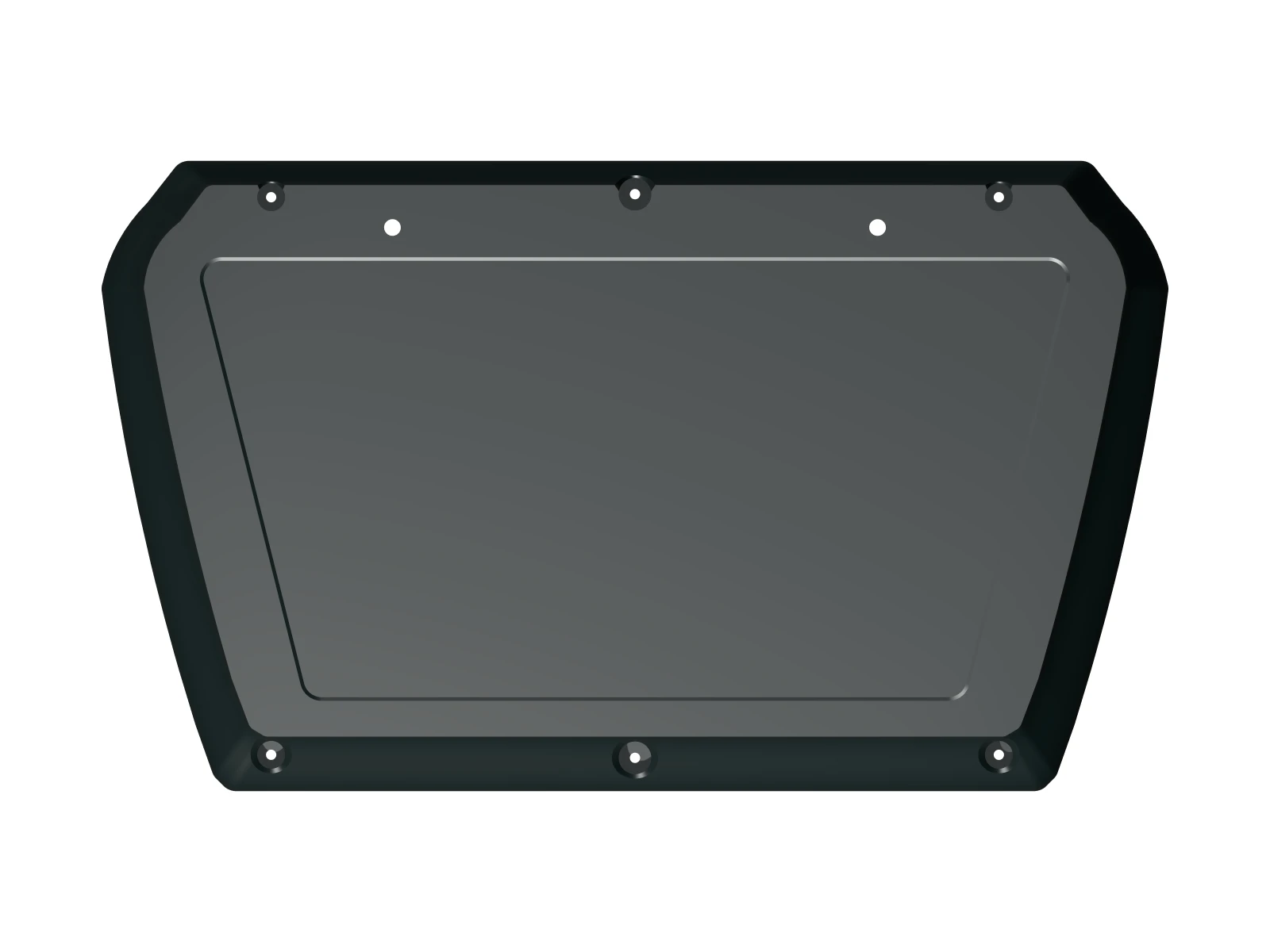
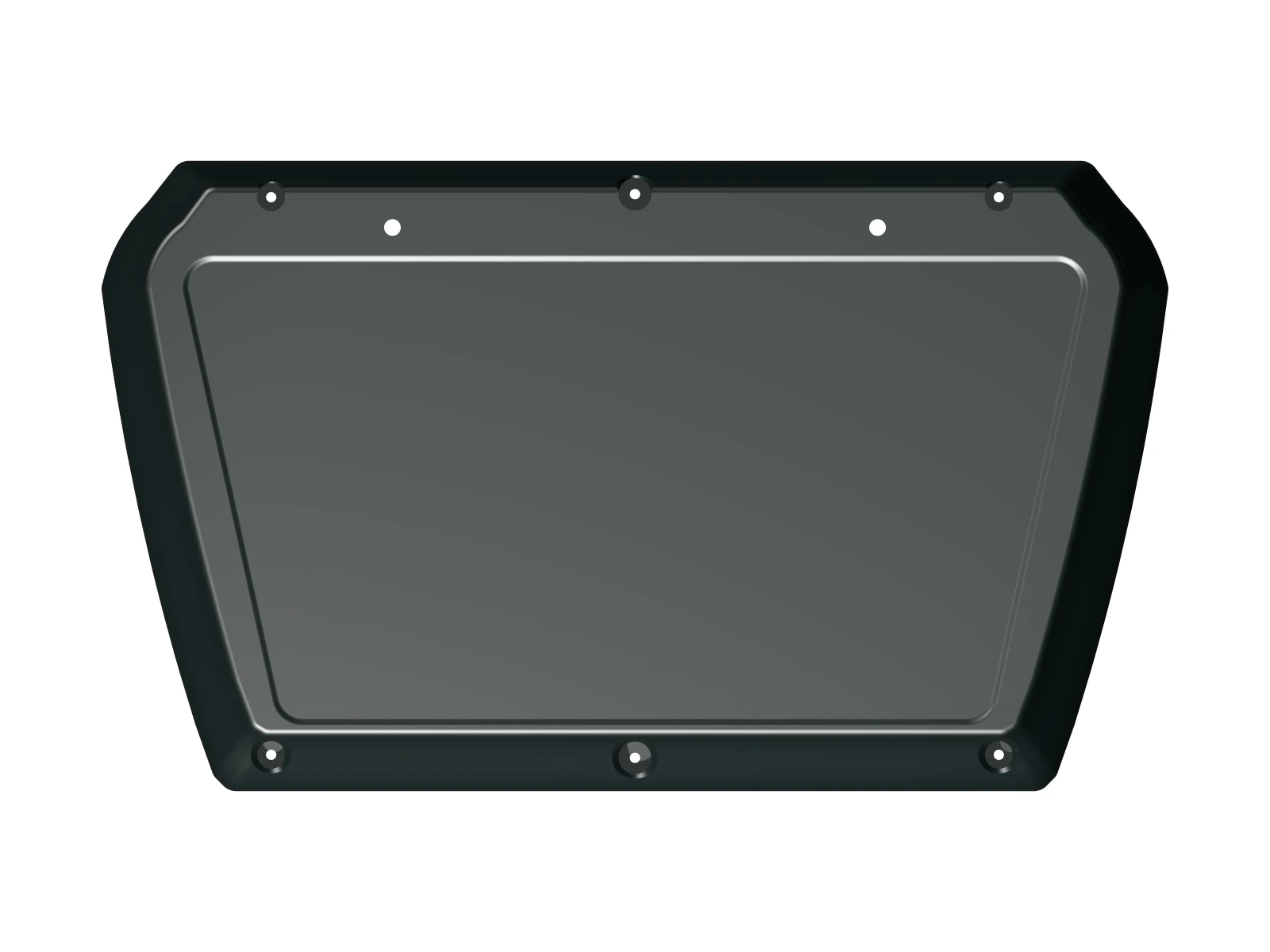
The broader silhouette, visor, and wing sweep still fell short of the selected references. I treated that gap as an open design problem instead of letting a better rear cover masquerade as acceptance of the whole product.
The first slicer pass found a better pose—and then became obsolete
I used a Bambu Lab H2D, a 0.6 mm nozzle, and a Generic PETG profile for the first manufacturing study. That earlier geometry was exported at full scale as two bodies and run through eight actual Bambu Studio candidates. The variables were inclination, rear orientation, support style, and 0.30 versus 0.24 mm layers.
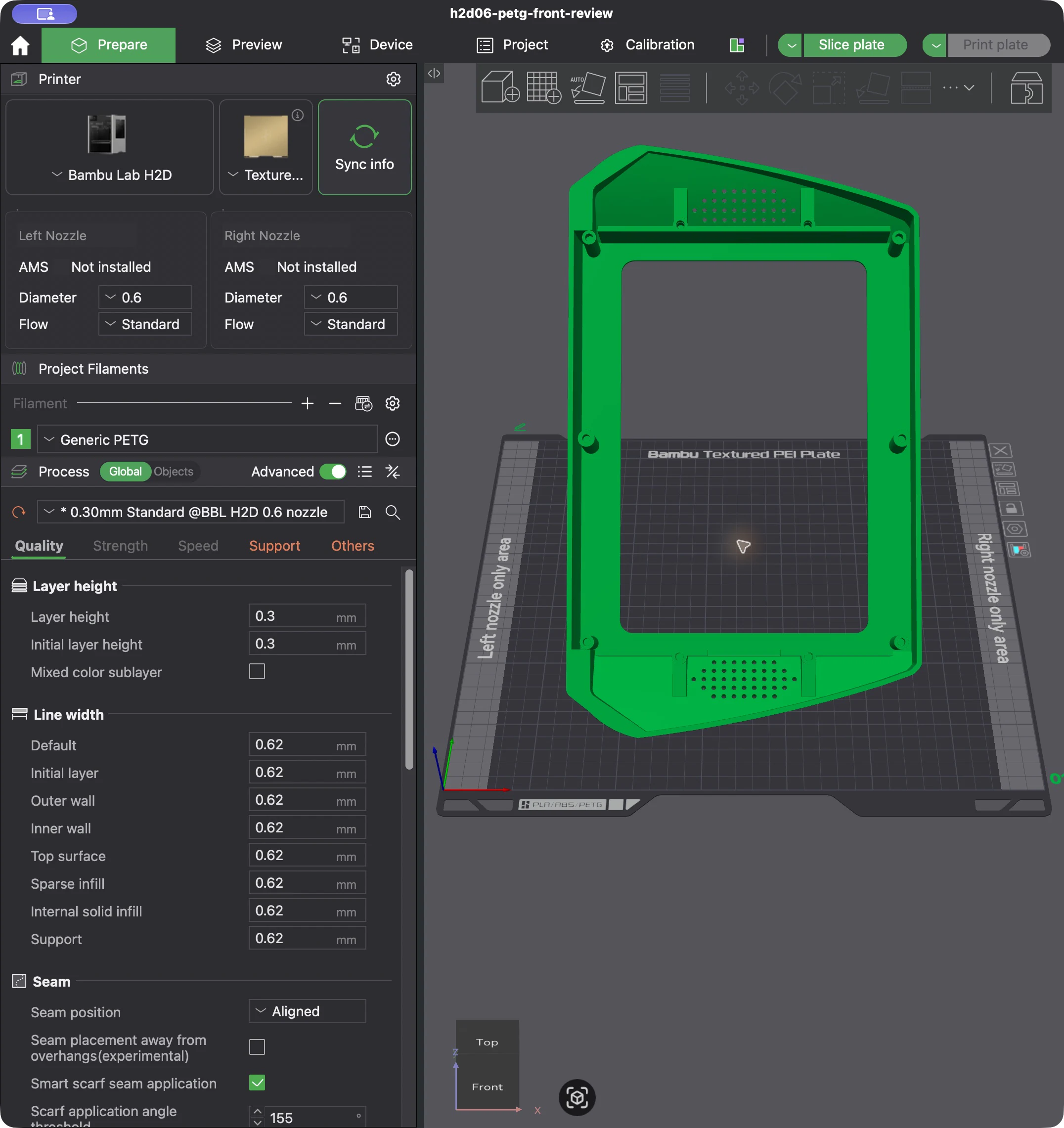
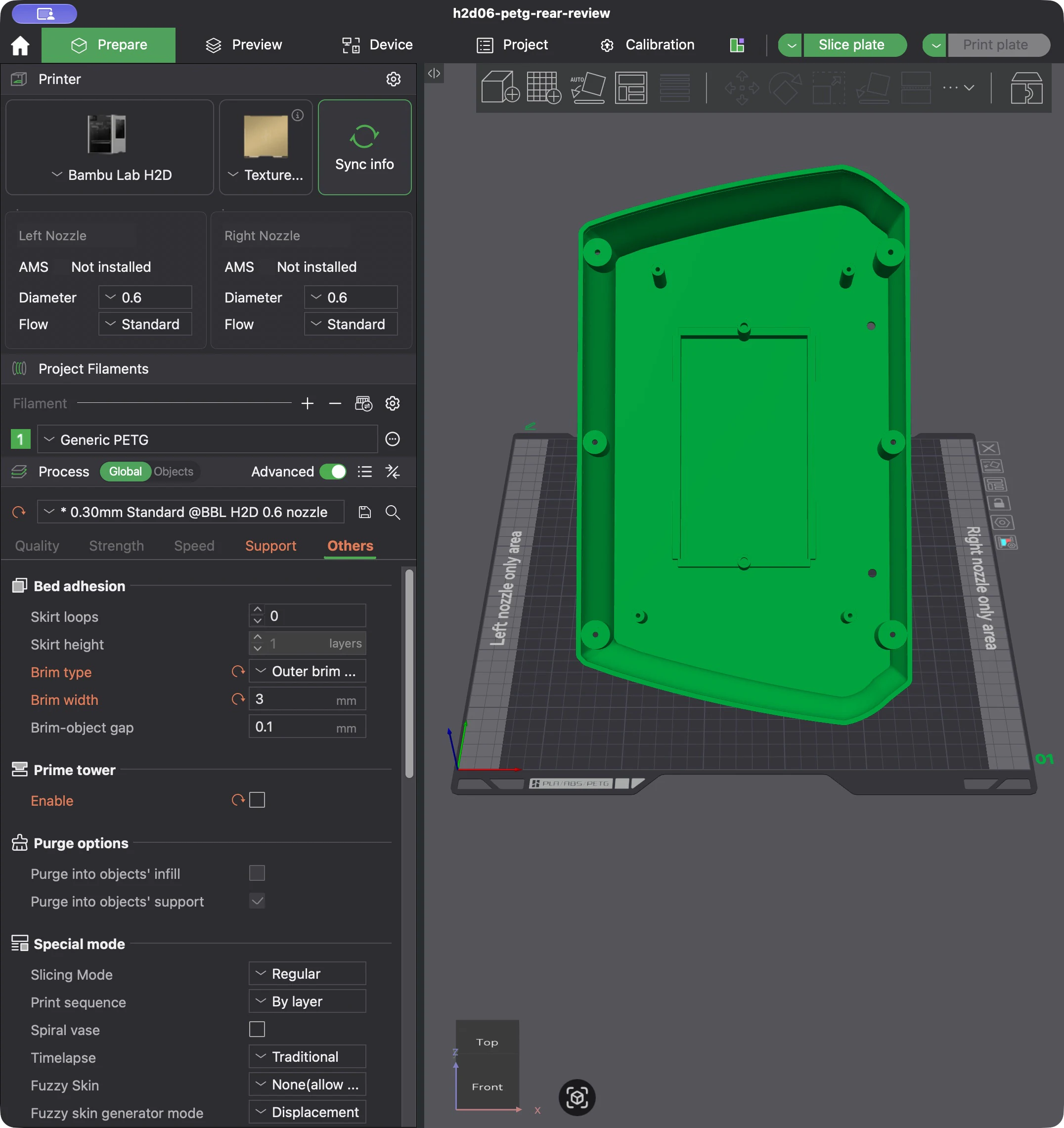
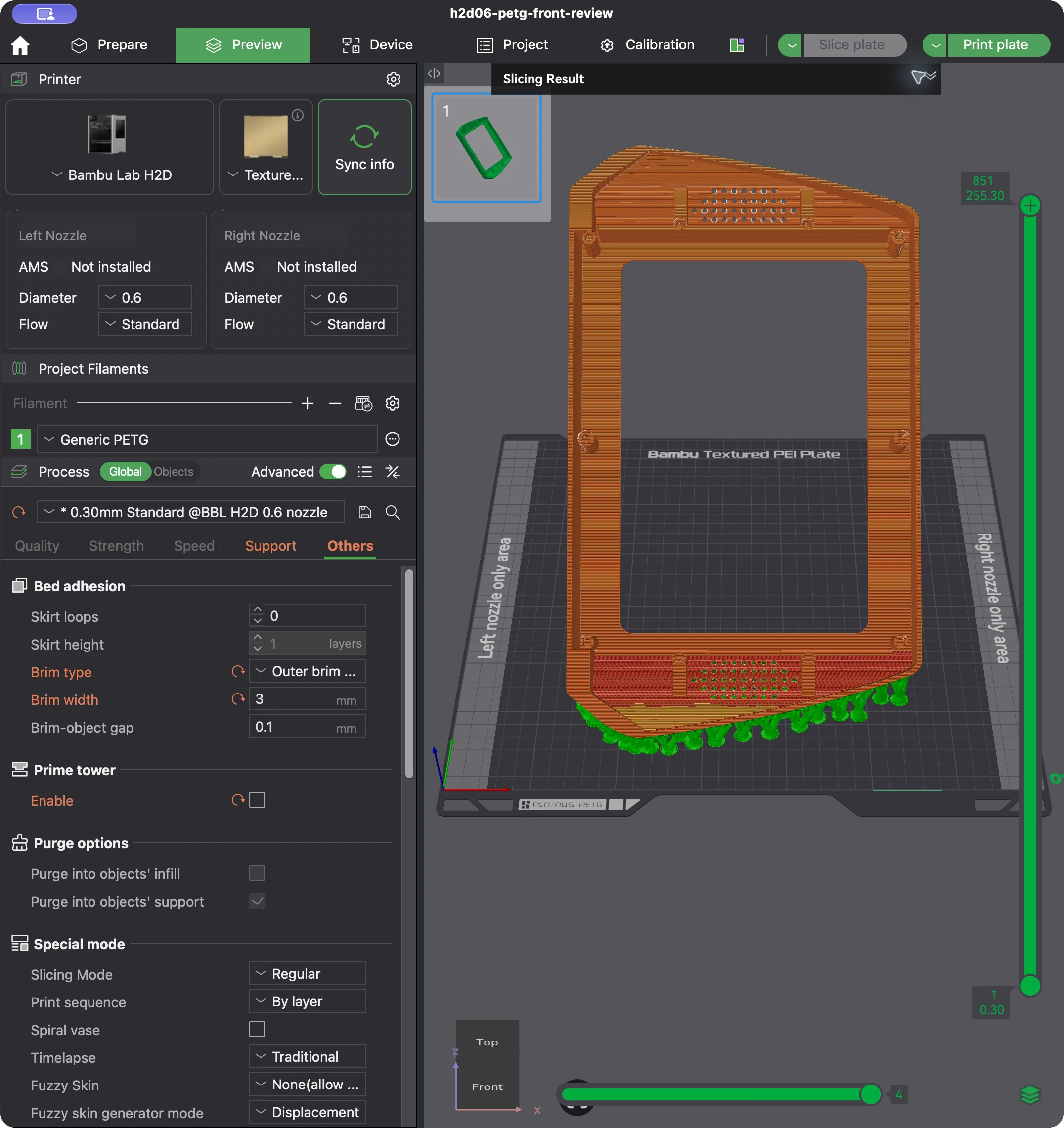
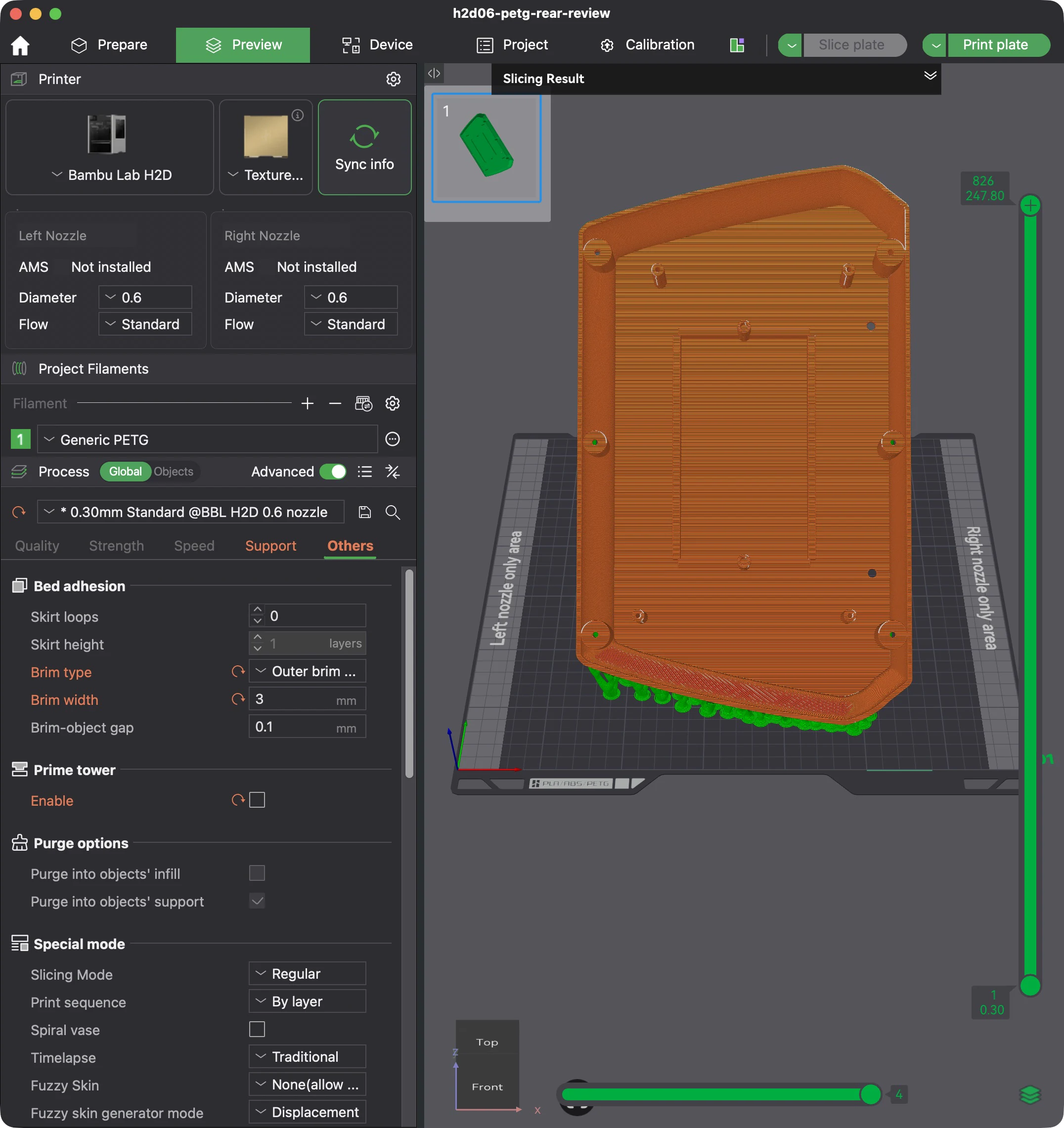
Earlier geometry · best of eight executed candidates
The first two-body model's lowest combined estimate
This is a historical result for the earlier geometry—not the current material plan, a universal PETG recipe, or a physically qualified print profile.
- Printer
- Bambu Lab H2D
- Nozzle
- 0.6 mm
- Material
- Generic PETG
- Plate
- Textured PEI
- Layer height
- 0.30 mm
- Walls
- 2
- Infill
- 15% grid
- Supports
- Tree (auto)
- Threshold
- 30°
- Support Z gap
- 0.30 mm
- Inclination
- 42°
- Rear orientation
- Interior up
- Brim
- 3 mm outer
- Brim gap
- 0.1 mm
- Stock profile
- 255°C / 70°C
- Studio version
- 02.07.01.62
Bambu Studio estimates
Earlier geometry: best tested pair versus its baseline
Estimated time
32.3% lowerPETG including supports and brim
43.1% lowerThe best tested pair used 42° inclination, tree(auto) supports, 0.30 mm layers, two walls, and 15% infill, with the rear flipped. Its combined estimate was 18 hours 18 minutes 20 seconds and 616.9 grams of PETG including supports and brim. The defined baseline—42° normal supports with the rear unflipped—estimated 27 hours 3 minutes 12 seconds and 1083.8 grams.
Bambu Studio displayed 8 hours 46 minutes and 288.15 grams for the front, then 9 hours 32 minutes and 328.58 grams for the rear. Those rounded GUI totals closely match the batch comparison, but they remain software estimates—not measured print time or material use.
Open the raw Bambu settings and estimate panels
The screenshots are intentionally uncropped so the project, preset, and GUI context remain visible.
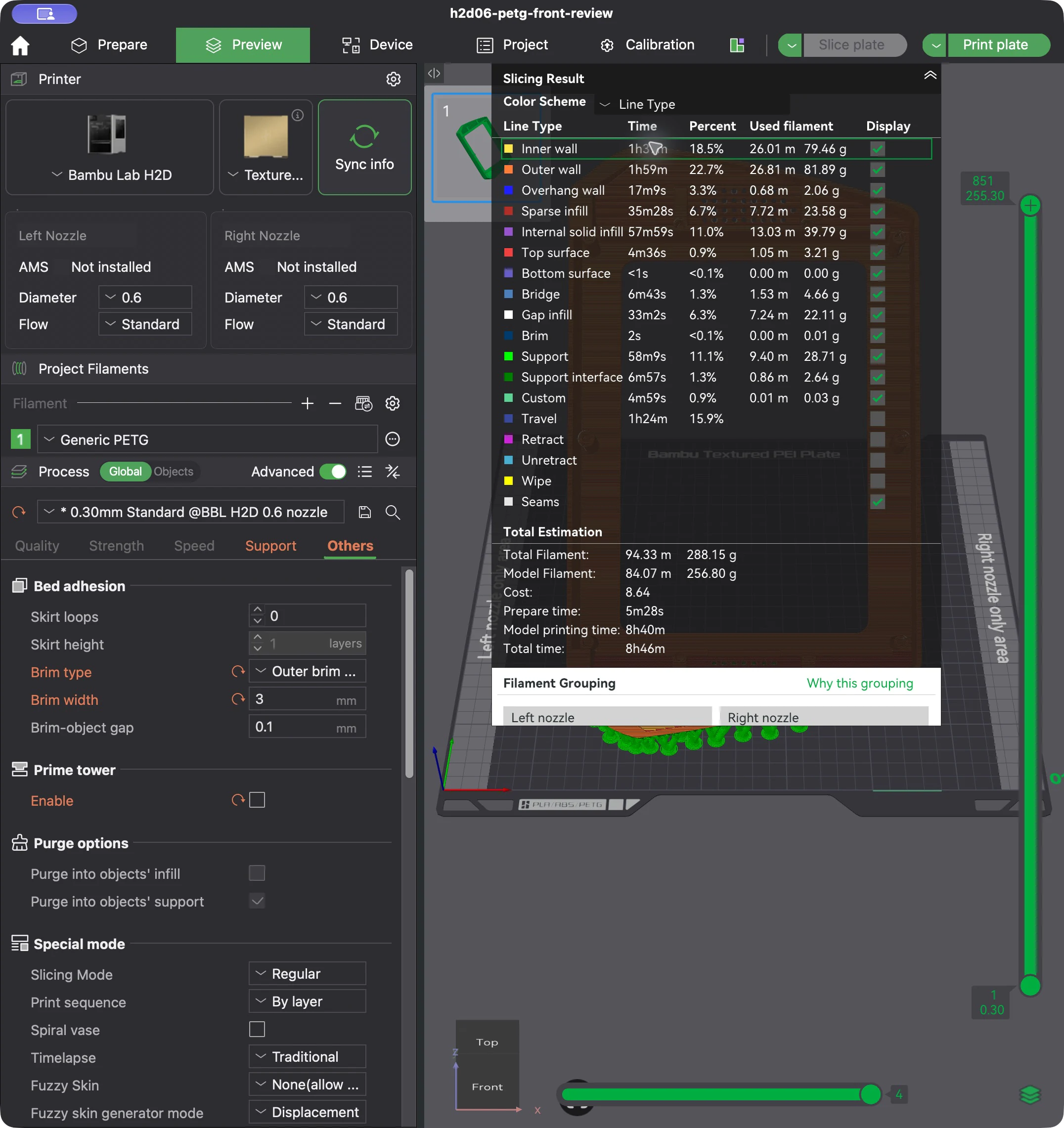
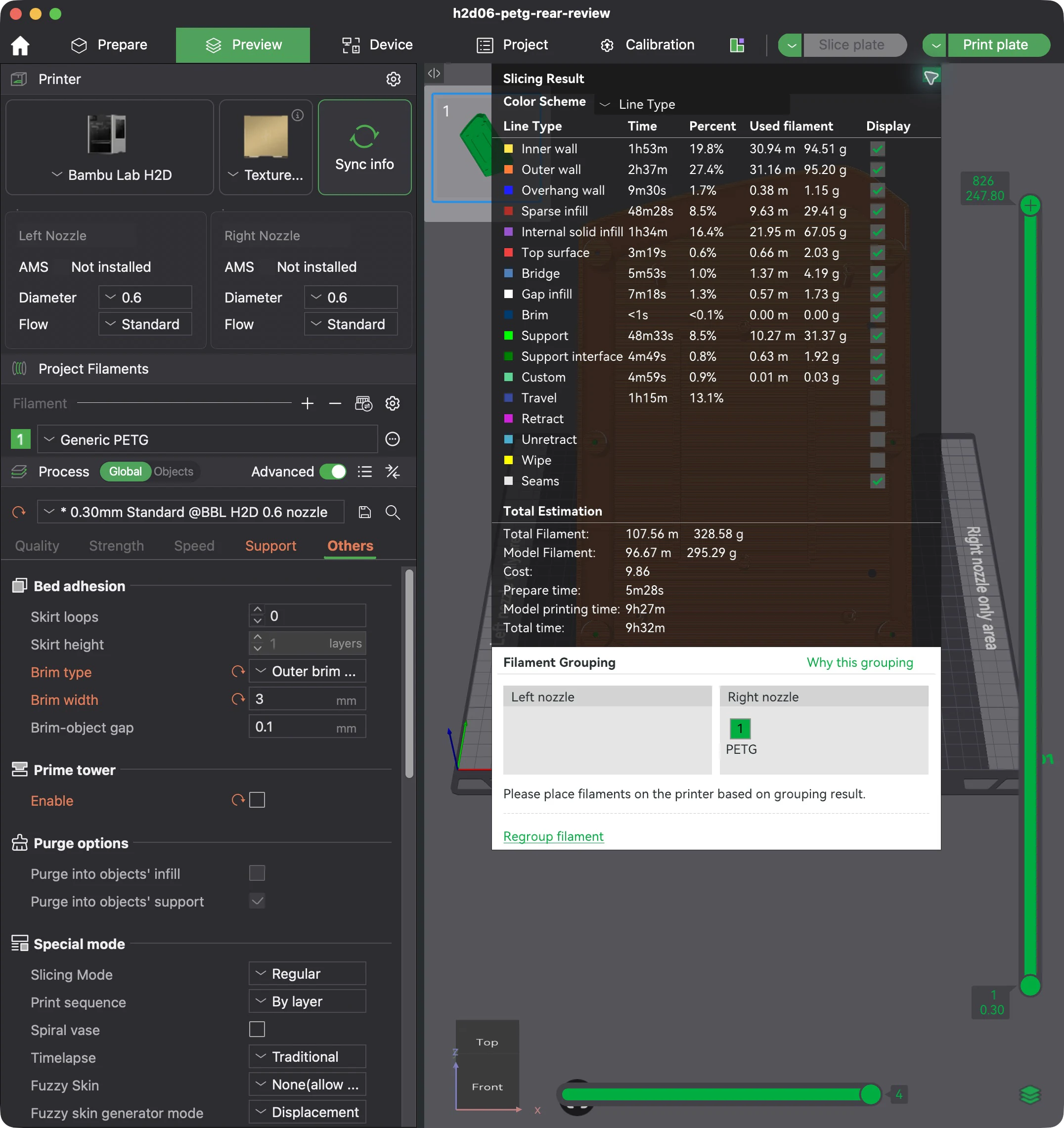
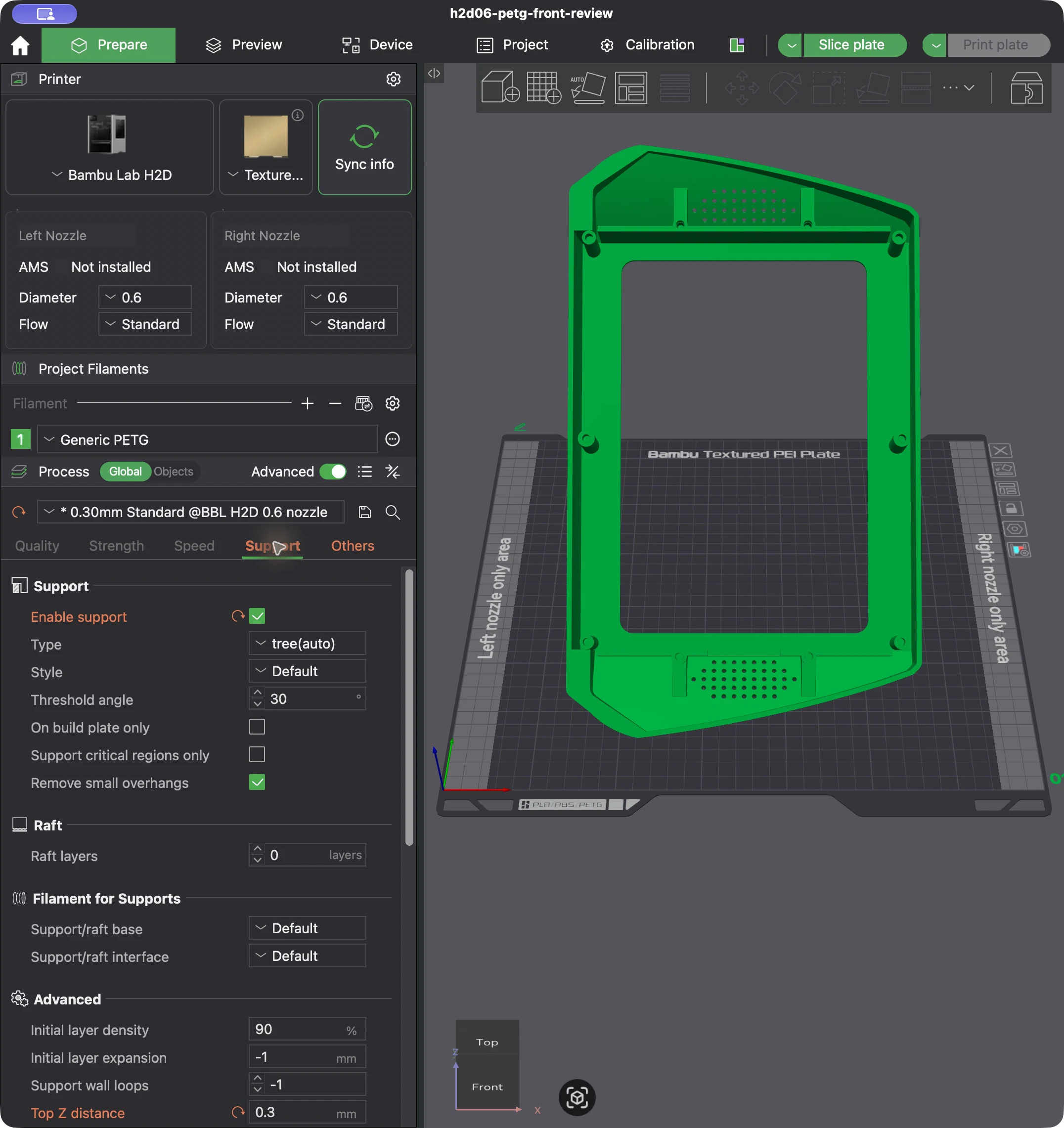
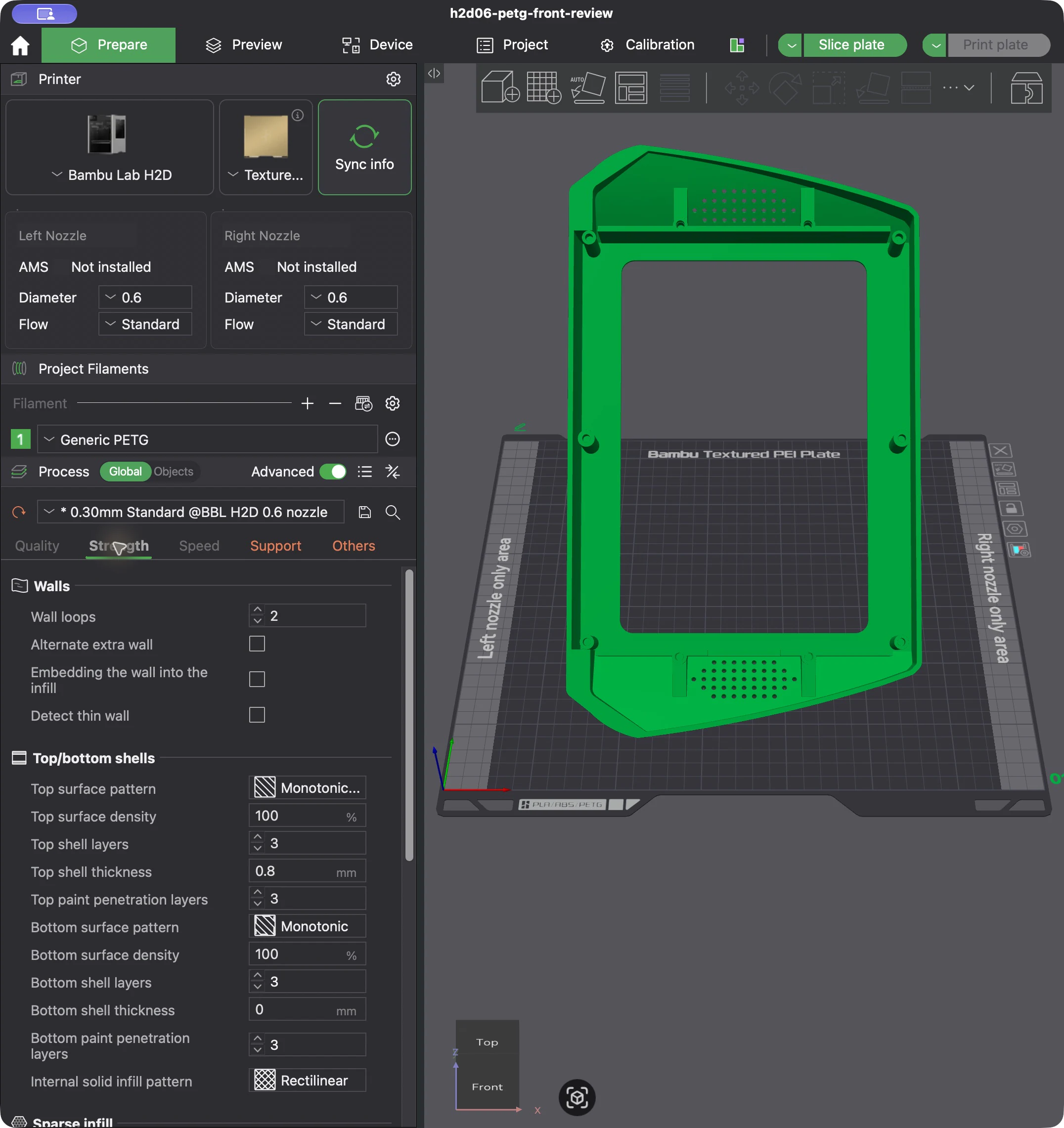
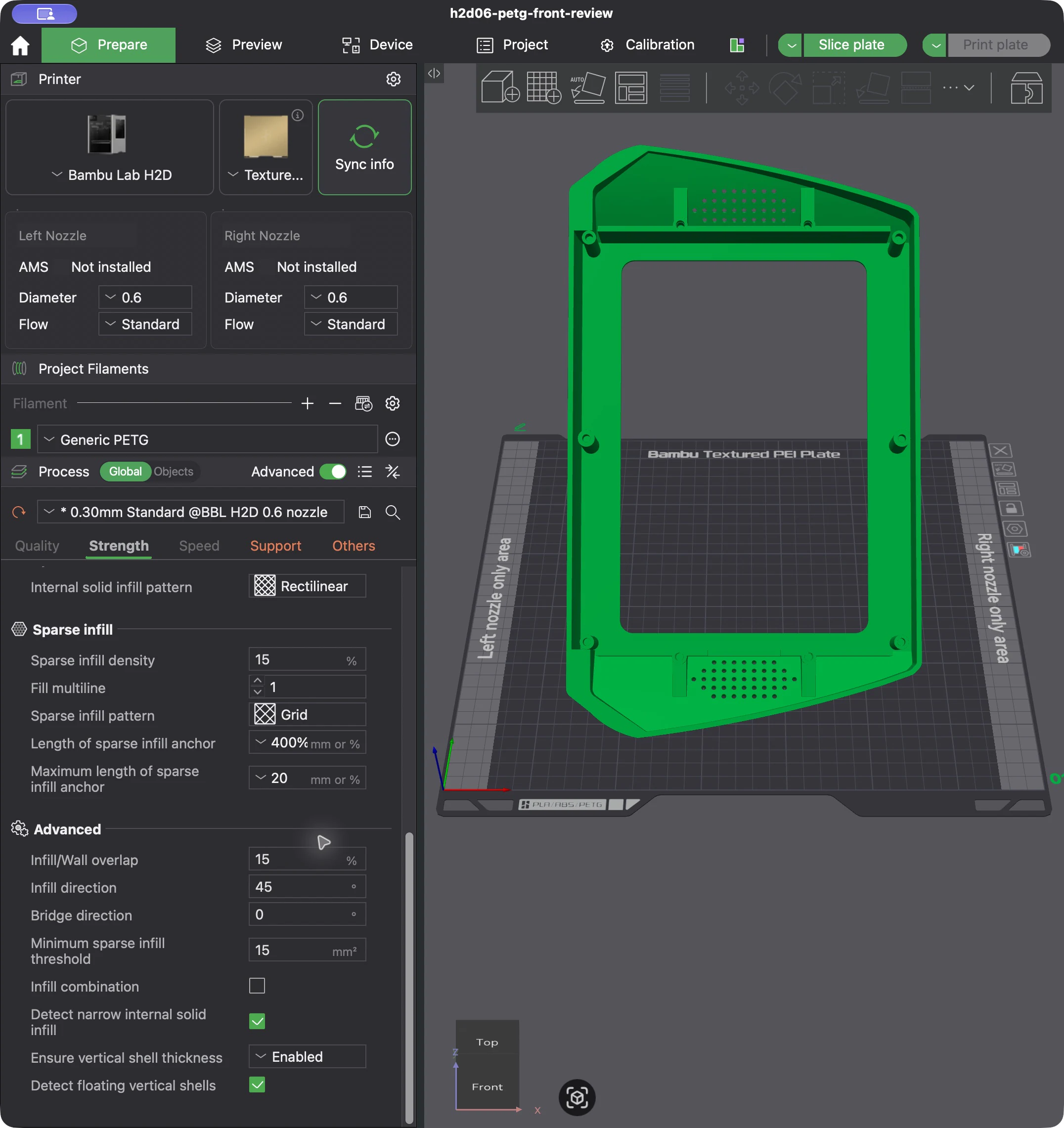
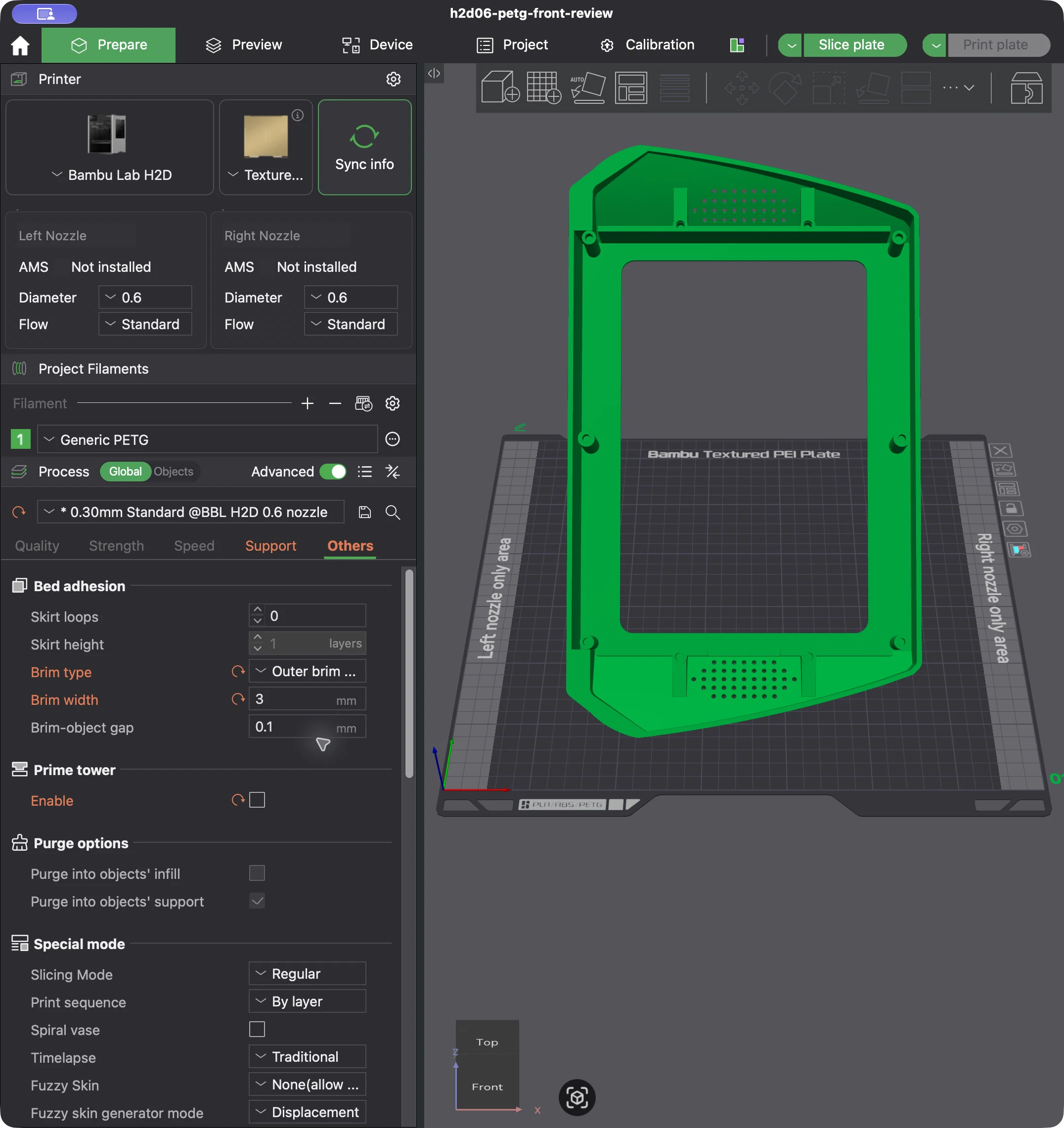
The orientation reduced the estimate. It did not make the enclosure ready. A 6,000-sample wall study found a 1.391 mm local web beside a rear closure counterbore. That specific rear-well problem was repaired in the next pass, but the geometry changed enough that the 18-hour estimate stopped being current. The material plan changed too: PETG is now queued as the support-interface material rather than a claim that every visible part should use the old Generic PETG setup.
The H2D build area forced one design into two
The full-width housing measured 367.8 mm. I initially treated the H2D's advertised 350 mm figure as usable width, but that number describes combined nozzle reach—not the left nozzle's 325 × 320 mm plate area. Rotating the enclosure diagonally still did not make the one-piece shell fit.
That left a real product decision. I could narrow the enclosure enough to keep the shells whole, or preserve the wider silhouette and accept more parts, seams, and fasteners. I saved both instead of pretending one tradeoff was obviously correct.
| Option | Architecture | Width | Printed parts | Saved Bambu estimate |
|---|---|---|---|---|
| A | Narrower, one-piece front and rear shells | 313.8 mm | 4 | 18 h 33 min · 746.57 g |
| B | Full-width shells divided into screwed sections | 367.8 mm | 6 | 24 h 10 min · 930.36 g |
Both options now use separate left and right forest-green wing inserts. Option A keeps the main shells whole and pays for that simplicity with a narrower form. Option B keeps the 367.8 mm silhouette and pays for it with two extra printed sections and another set of joints. Full-logo and icon-only versions are preserved for each width so the brand decision does not have to be baked into the shell decision.
I also built a local review surface for the options: assembled, exploded, and plate-layout views; width and logo variants; part visibility; downloads; and the unresolved checks in one place. A private hosted version with in-page 3D controls is still being built, so I am not presenting it here as finished.
The first CAD prototype in motion
The video at the top was probably the first time the product felt real to me. Not because it looked finished, but because the parts finally had jobs. The screen allowance moved toward the rear carrier. The front shell closed around it. Six amber screw proxies approached the enclosure while the four cyan screen paths stayed separate.
That animation belongs to the earlier two-body model. It still does not prove that the real screen fits, and it should not be read as the current A/B architecture. What it did was make the remaining work obvious. Earlier images could make the display and housing look complete without explaining how either one attached. The motion study stopped hiding that question inside the render.
What I would do next
The render answered where the product belonged. The concept images helped choose what it should feel like. CAD made the shape and joints inspectable. The printer envelope exposed an architecture decision the render could never show. None of those artifacts answered whether the actual screen fits.
The next decision is Option A or Option B. If the narrower one-piece version wins, the 1.42 mm visor patch needs reinforcement and another wall check. Both options still need registration against the actual MATP4G101 case, a chosen screw and insert stack, support-removal coupons, the queued material profiles, and a physical print. Their software estimates do not transfer to changed geometry.
The work got better each time I stopped asking one artifact to prove everything. The next useful claims are smaller and harder: this option earns its extra parts; this screw stack fits this screen; this shell prints cleanly under this profile.
That is a more honest milestone than a convincing render—and a much better place to build from.